Understanding Creator Outreach Limits and GMV Requirements
Last updated: April 22, 2026
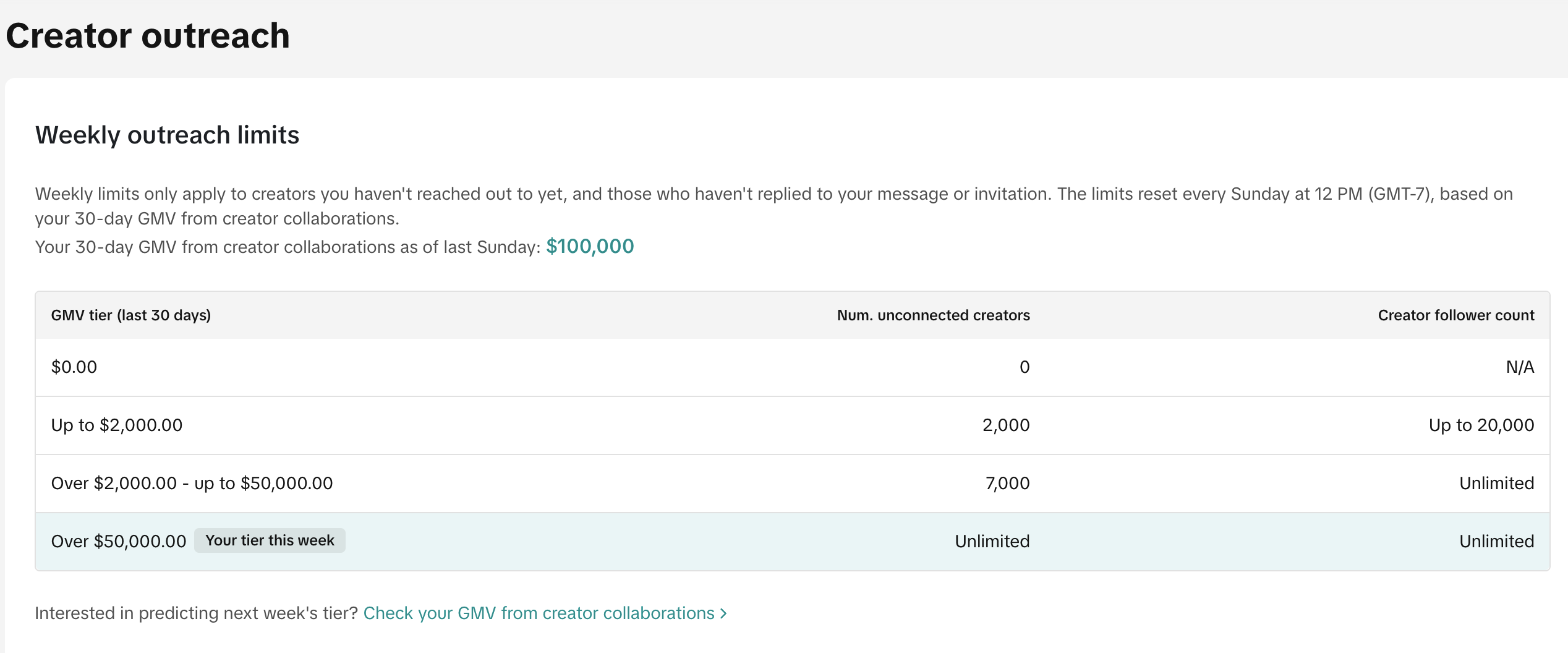
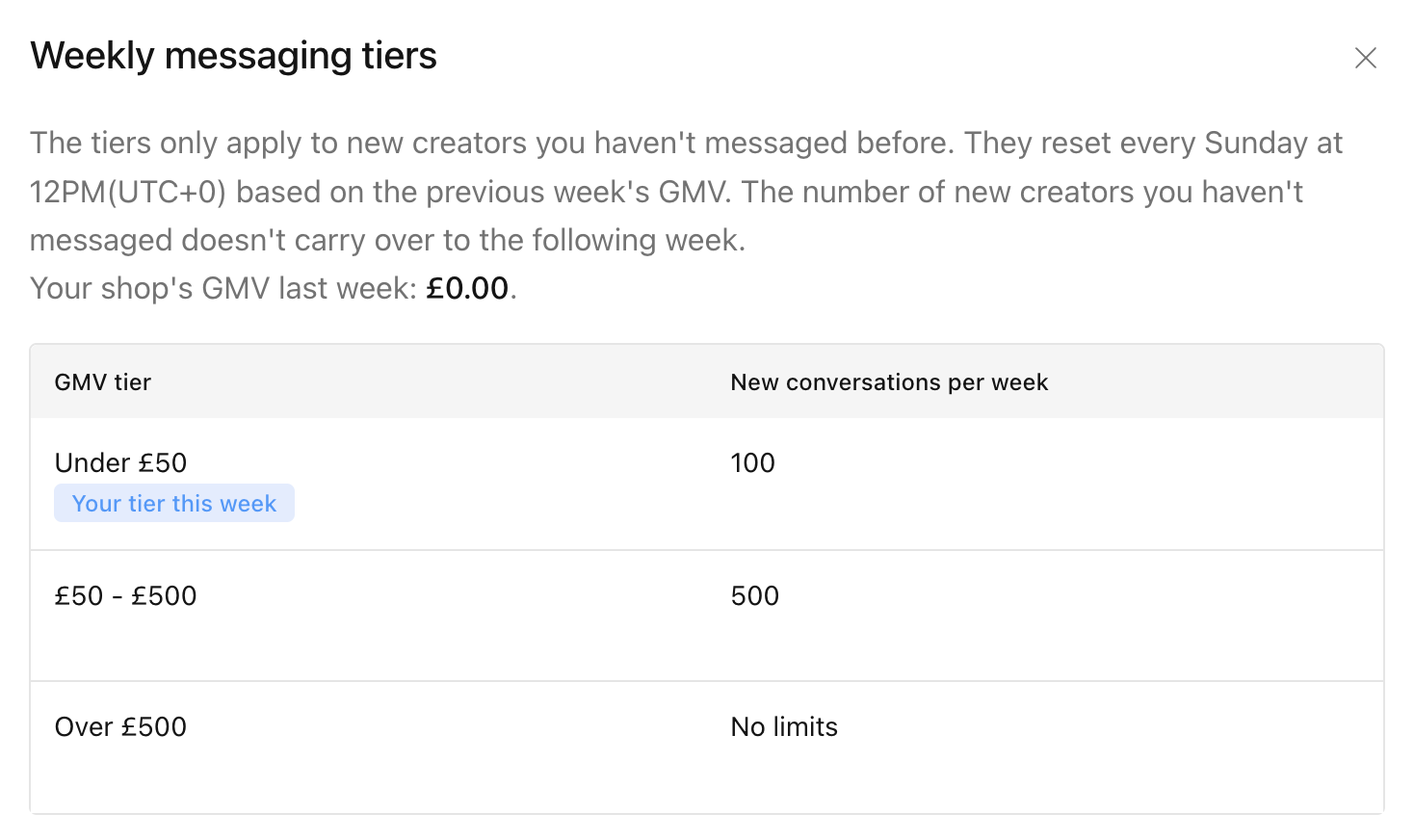
TikTok Shop has implemented outreach limits that are based on your last 30 days of affiliate GMV (Gross Merchandise Value). This article explains how these limits work and how to get started with creator outreach.
For US stores:
For UK stores:
How To Check My Affiliate GMV and Weekly Outreach Limit
You can check that within your seller center.
Go to "Affiliate" -> "Target Collaboration" -> "Check Rules"
Initial GMV Requirements
If your account has $0 in affiliate GMV, you will not be able to message or send invites to unconnected creators. You must generate some affiliate GMV before being able to reach out to new creators.
Breaking the $0 GMV Threshold
To start messaging creators, you need to generate more than $1 in affiliate GMV. You can do this by:
Placing a test order from an existing affiliate showcasing your product
Test Order Process
If you choose to place a test order:
Find an existing affiliate video for your product
Place an order through that video
Wait 1-2 business days for the GMV to be reflected in your dashboard
Need help generating a video for your test order? Contact our support team, and we can assist you in creating one.
After Generating GMV
TikTok refreshes the outreach limit on every Sunday at 12pm. Once your affiliate GMV is above $0, you'll be able to start reaching out to new creators starting every Sunday. Your outreach limits will expand as your sales increase through the platform.