Wallet & Payment Methods
Last updated: June 2, 2026
Overview
For agencies managing multiple brands or stores, using the same subscription payment method for incentive campaigns can become difficult to track.
Euka supports agencies to:
Use separate payment methods for different brands
Reload marketing budgets independently in Wallet
Pay for Brand Contests and Retainer payout using dedicated payment methods
This helps brands manage campaign spending separately from the main Euka subscription billing.
1. Add Funds to Wallet
Path
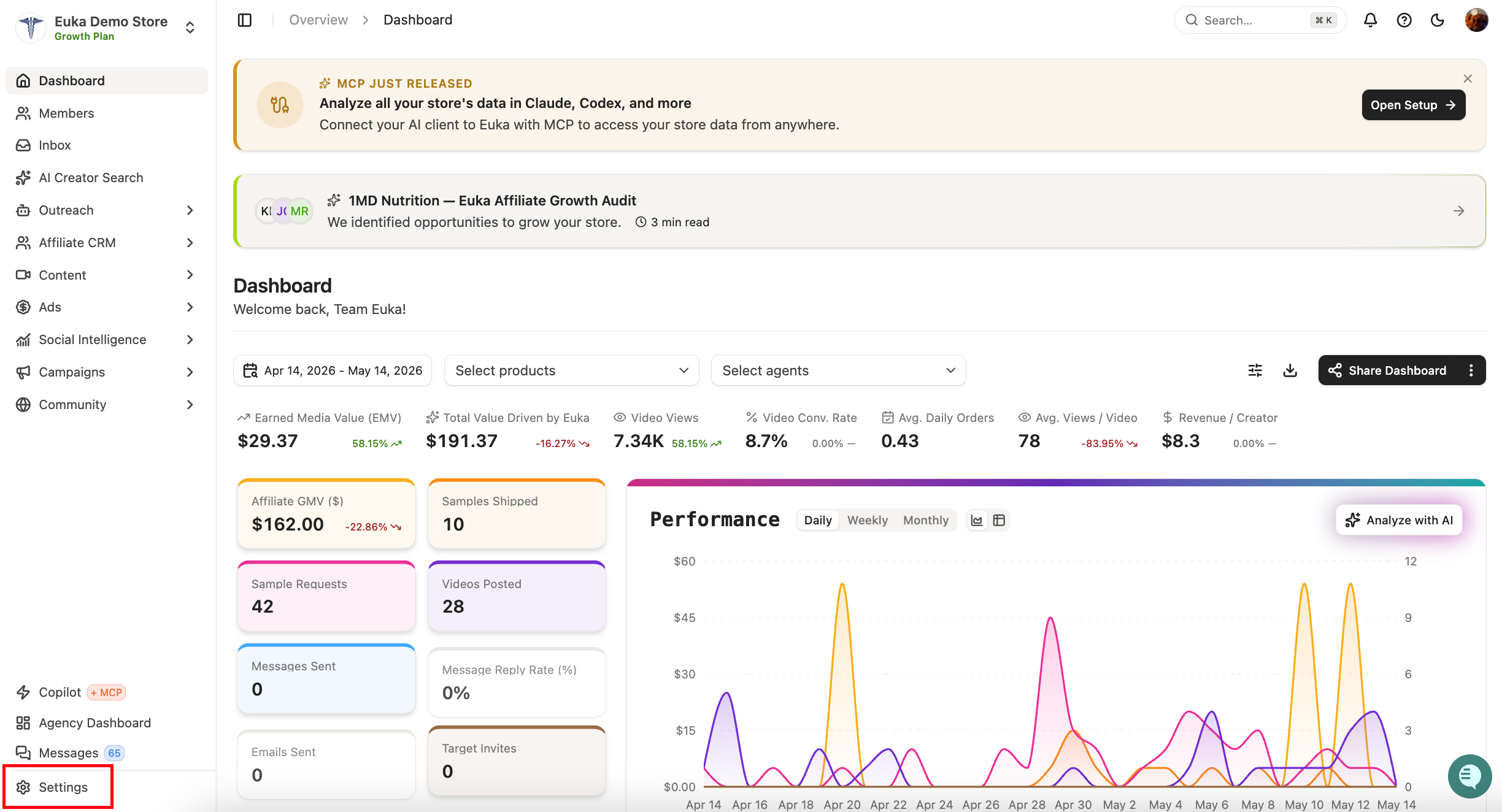
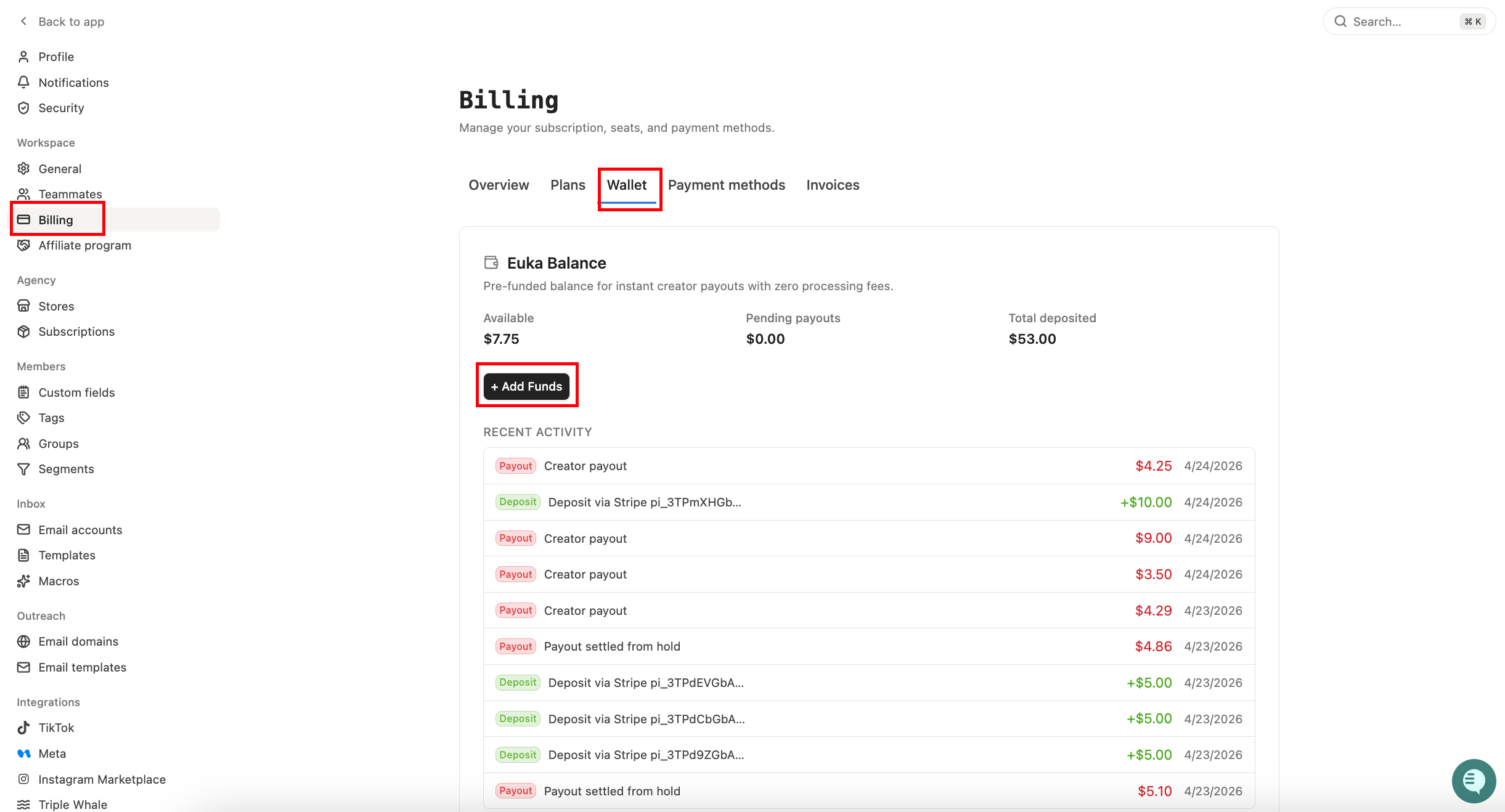
Setting → Workspace → Billing → Wallet
Steps
Click “Add Funds”
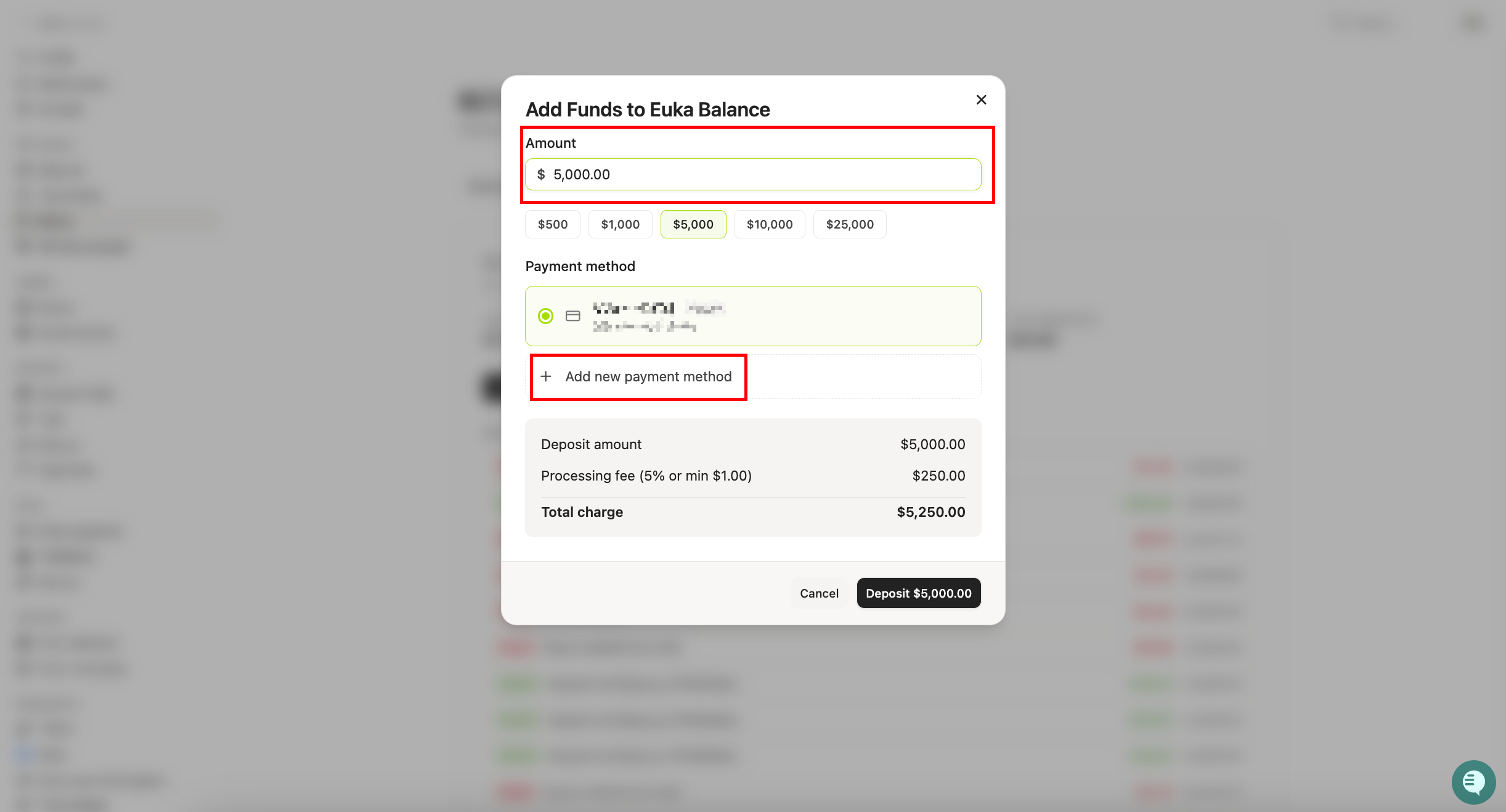
Enter the amount
Add a new payment method or select an existing one
Confirm payment
The balance will be added to your Euka Wallet and can be used for incentive campaigns and payouts.
2. Add a Payment Method
You can add separate payment methods for different campaign types or brands.
Path
Setting → Workspace → Billing → Payment Methods
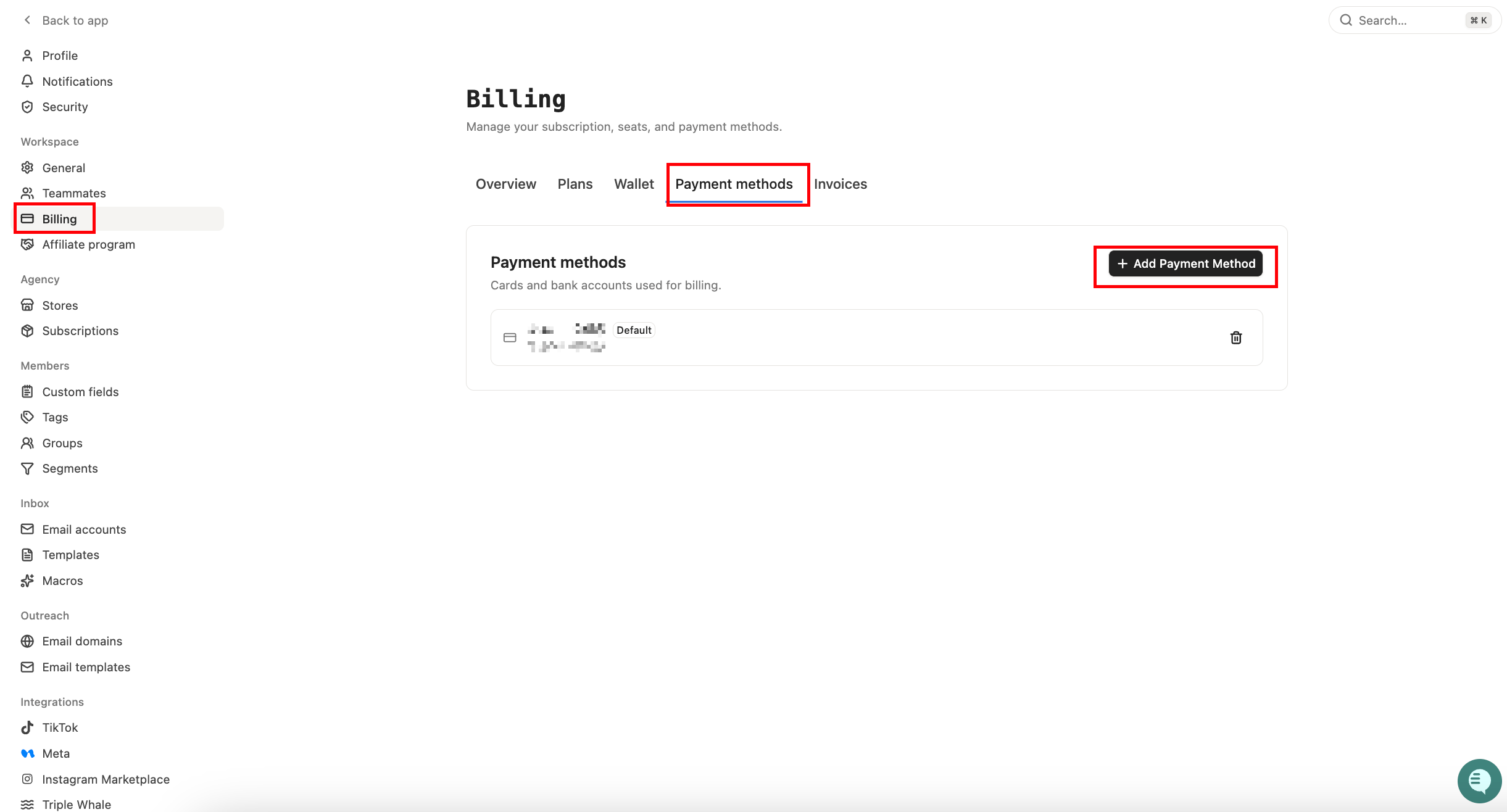
Steps
Click “Add Payment Method.”
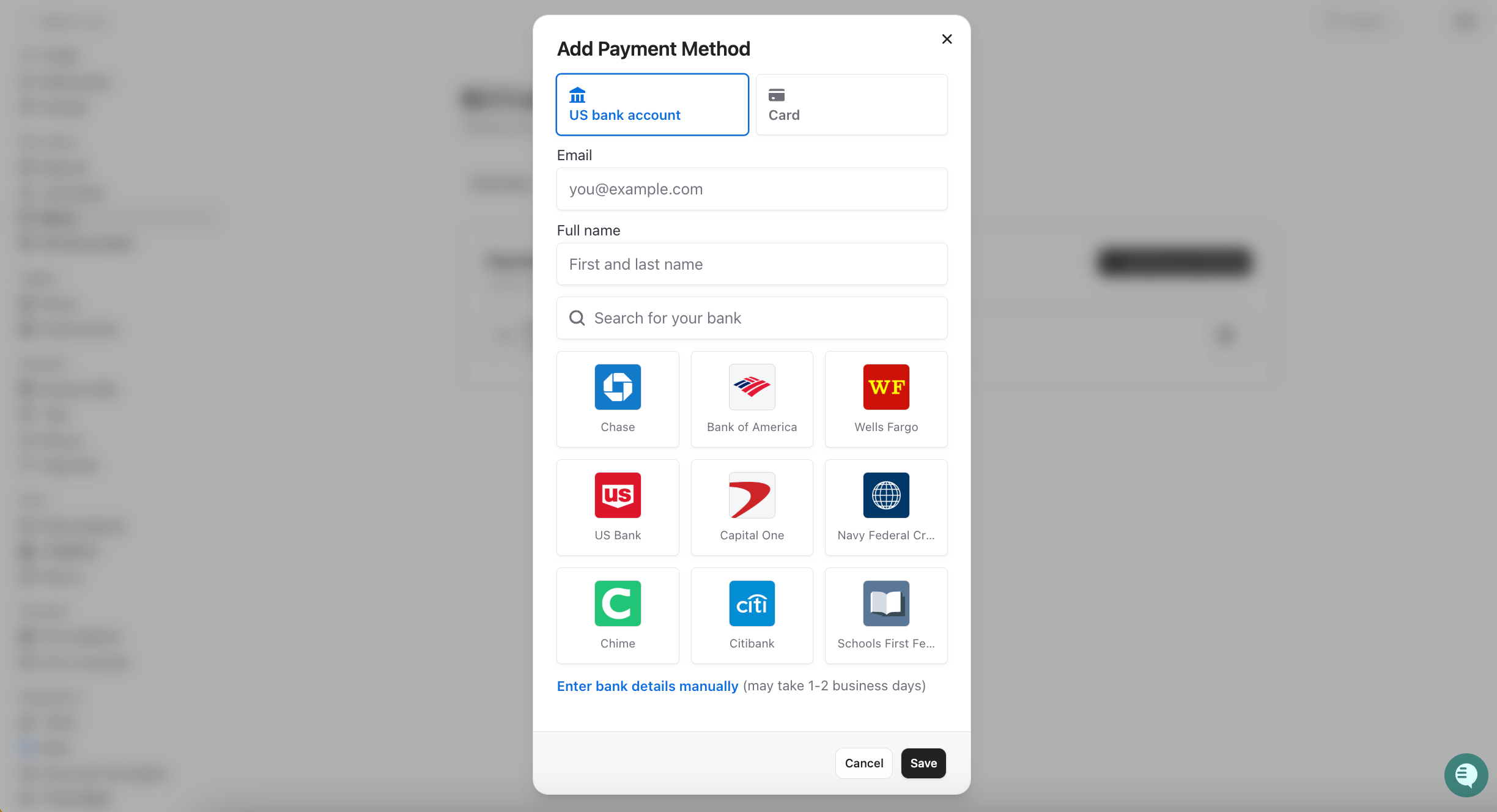
Enter card details
Save the payment method
Payment Method Options
US Bank Account (Recommended)
No processing fee
Funds settle in 3–5 business days
Credit/Debit Card
5% processing fee (minimum $1.00 USD per transaction)
Instant payment processing
For larger payouts, we recommend using a US Bank Account to avoid processing fees. Credit/Debit Cards are best for urgent or one-time payments.
3. Using Payment Methods & Invoices
Added payment methods will appear as selectable options for:
Brand Contest payouts
Retainer payouts
Wallet reloads
This allows agencies to separate billing across different stores, clients, or campaign types.
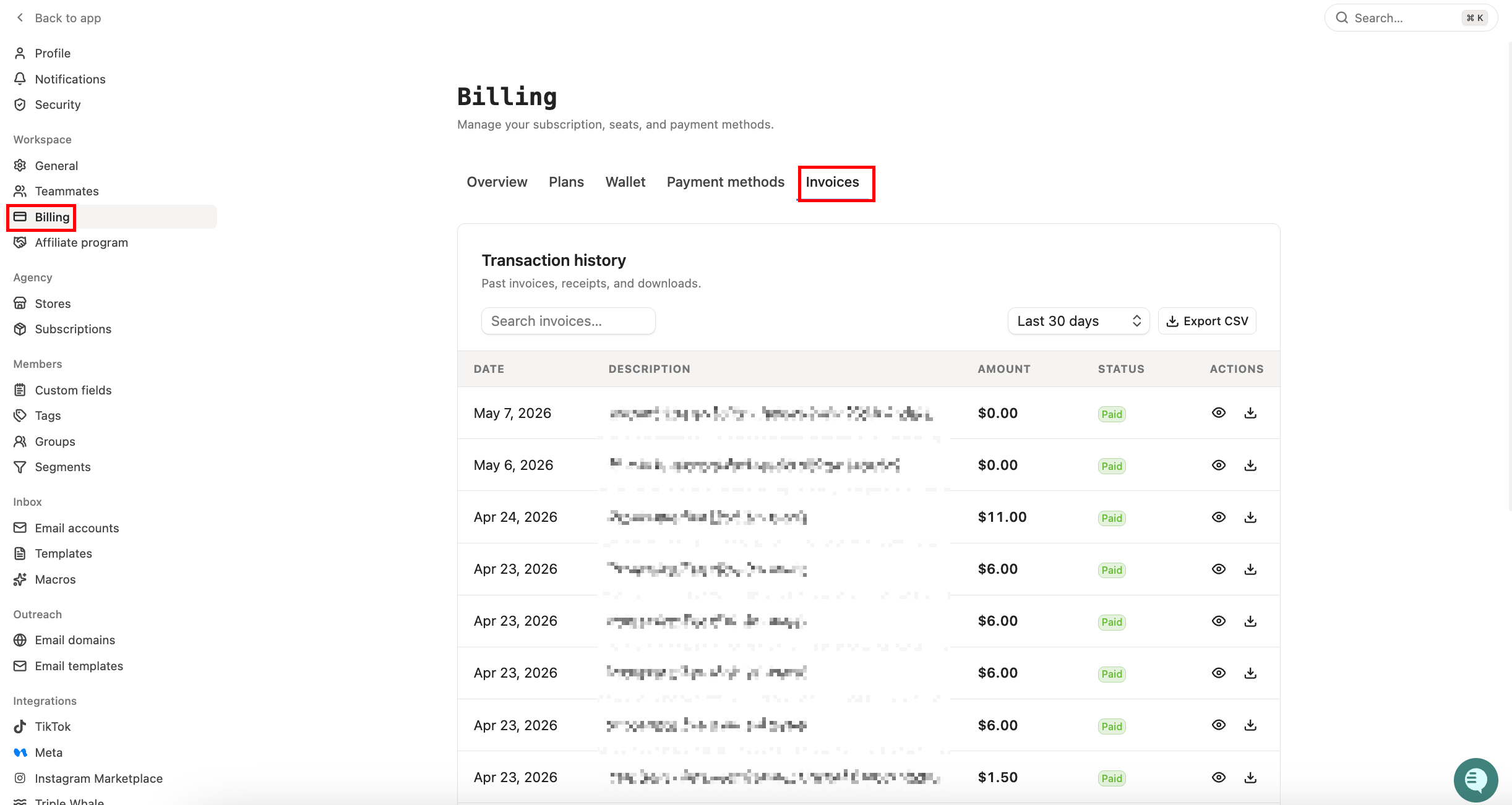
For payment history and billing details, go to:
Setting → Workspace → Billing → Invoices