9. AI Creator Search
Last updated: April 27, 2026
Finding the right creators shouldn't require guessing the perfect keyword. AI Creator Search lets you describe what you're looking for in plain English — who you want, what they talk about, or how they show up on camera — and Euka does the matching for you.
9.1 What AI Creator Search Does
AI Creator Search discovers creators using multiple signals:
Profile keywords and bios
Captions and audio transcription
Historical commerce performance
Visual similarity from creator content
You can now search by appearance, scenario, customer persona, or upload an image instead of typing.
9.2 Searching for Creators
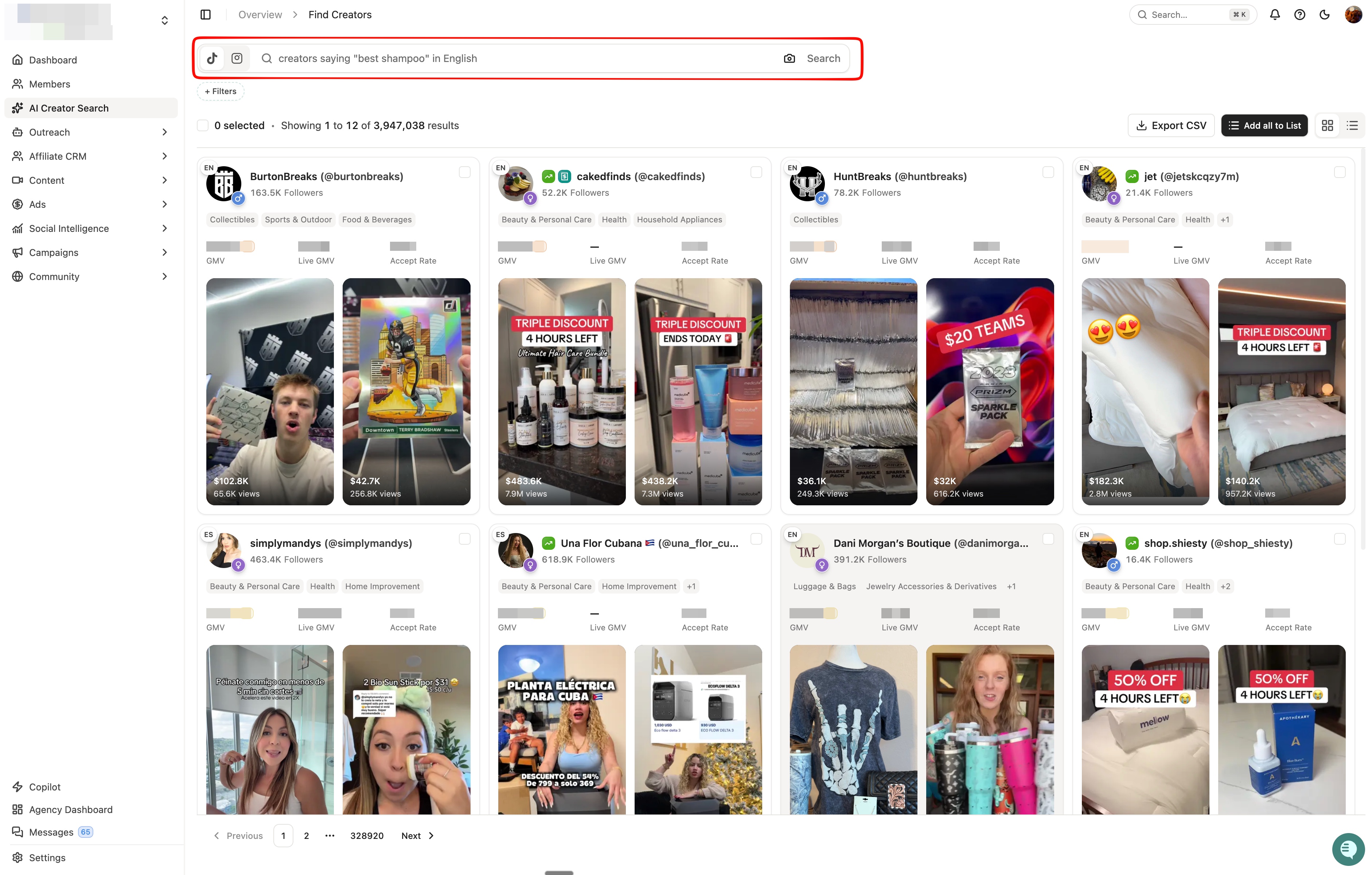
Type what you're looking for directly into the search bar. Describe the creators you want to find, what they talk about, or how they show up on camera.
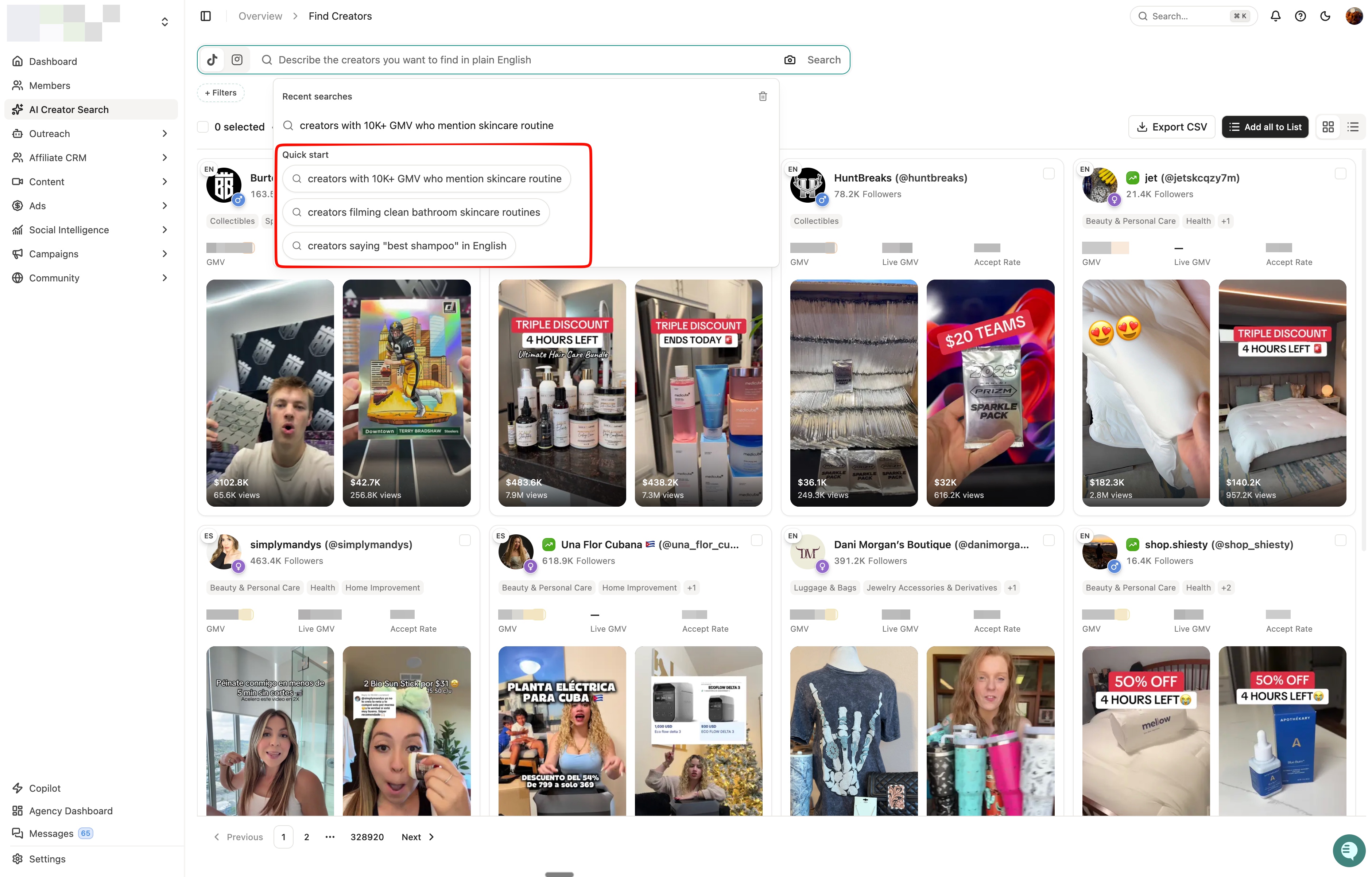
A few examples of what you can type:
creators saying "best shampoo" in English
creators filming clean bathroom skincare routines
creators with 10K+ GMV who mention skincare routine
Click into the search bar to see recent searches and quick-start prompts.
9.3 Searching by Image
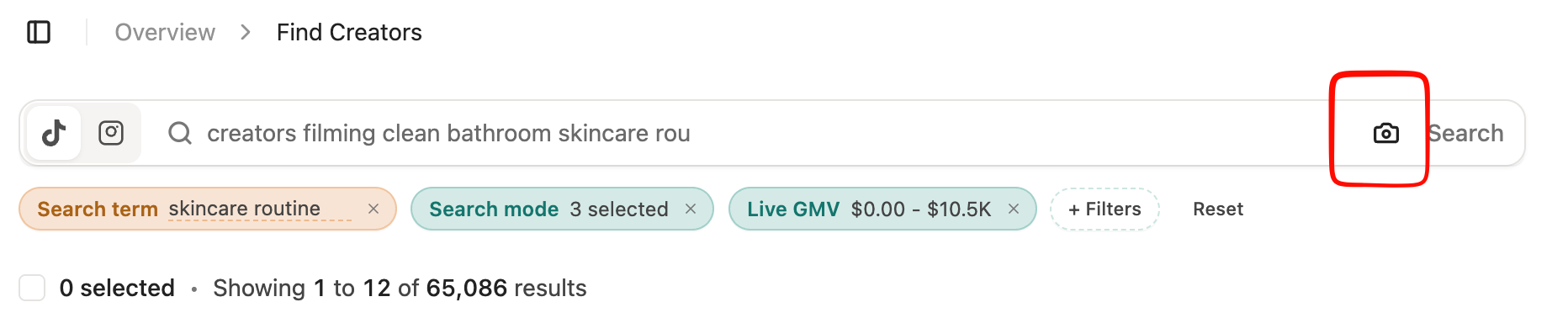
Click the camera icon in the search bar to search by image instead of text. You can search by what you want to see, not just what someone labels.
The image can represent anything you want to see in a creator's content:
A creator style or aesthetic
A customer persona
A scene or use case — a mom packing lunch, a gym snack break, a skincare routine
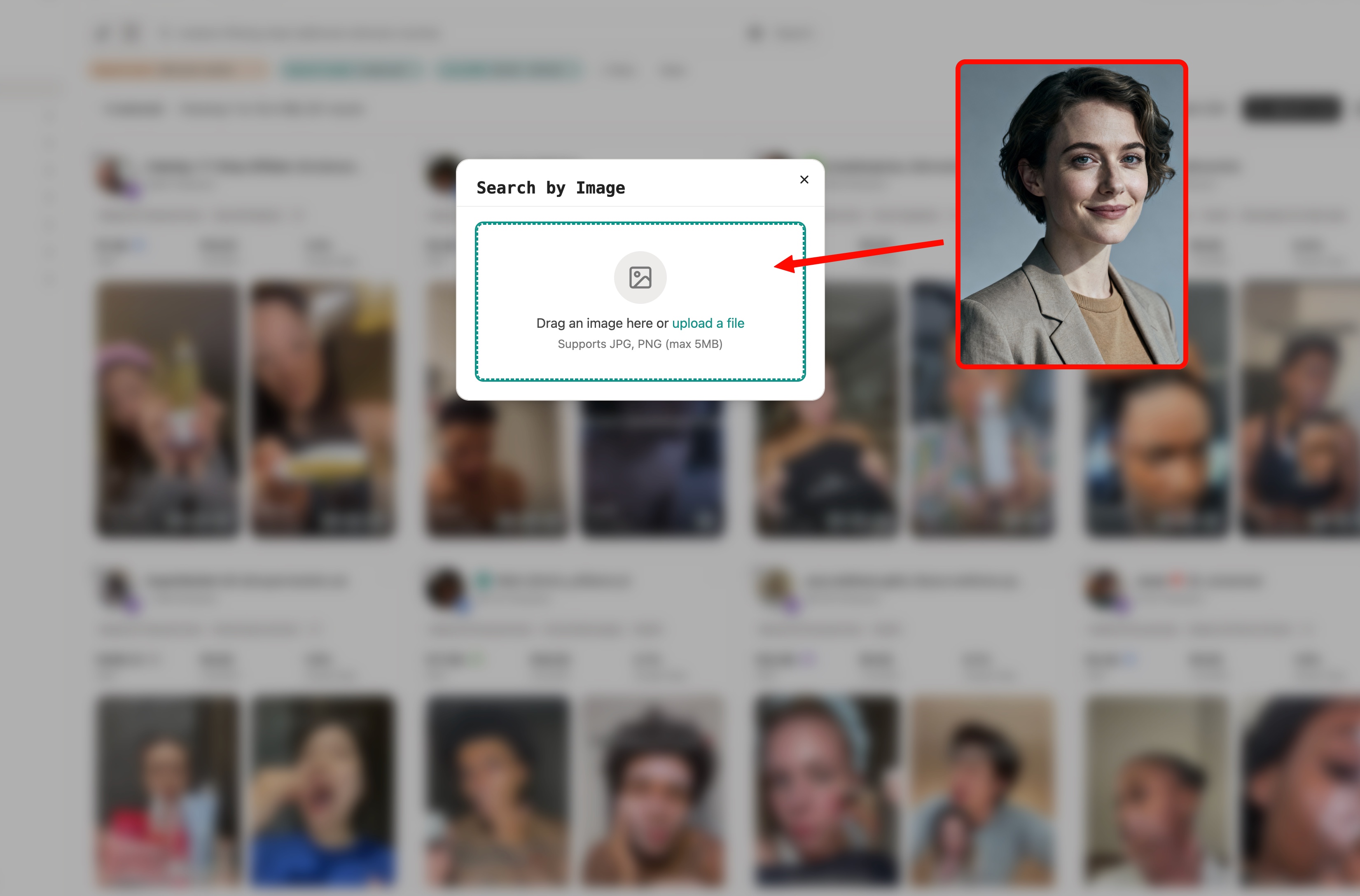
Euka finds creators whose videos match your image visually, not just by label. This AVOIDs common keyword mismatches where text search returns the wrong results — searching "long hair" might surface wig creators, or "baby" might return pet content. Image search finds what you actually mean.
9.4 How Euka Matches Your Search
Behind the scenes, Euka runs your query across up to three modes, applying whichever are applicable to what you're searching for:
Profile — creator bios, keywords, and category tags
Visual — what actually appears on screen in their videos
Transcript — what creators say out loud in their content
Euka determines which signals best match your query and surfaces results accordingly. You can adjust this setting by clicking on it.
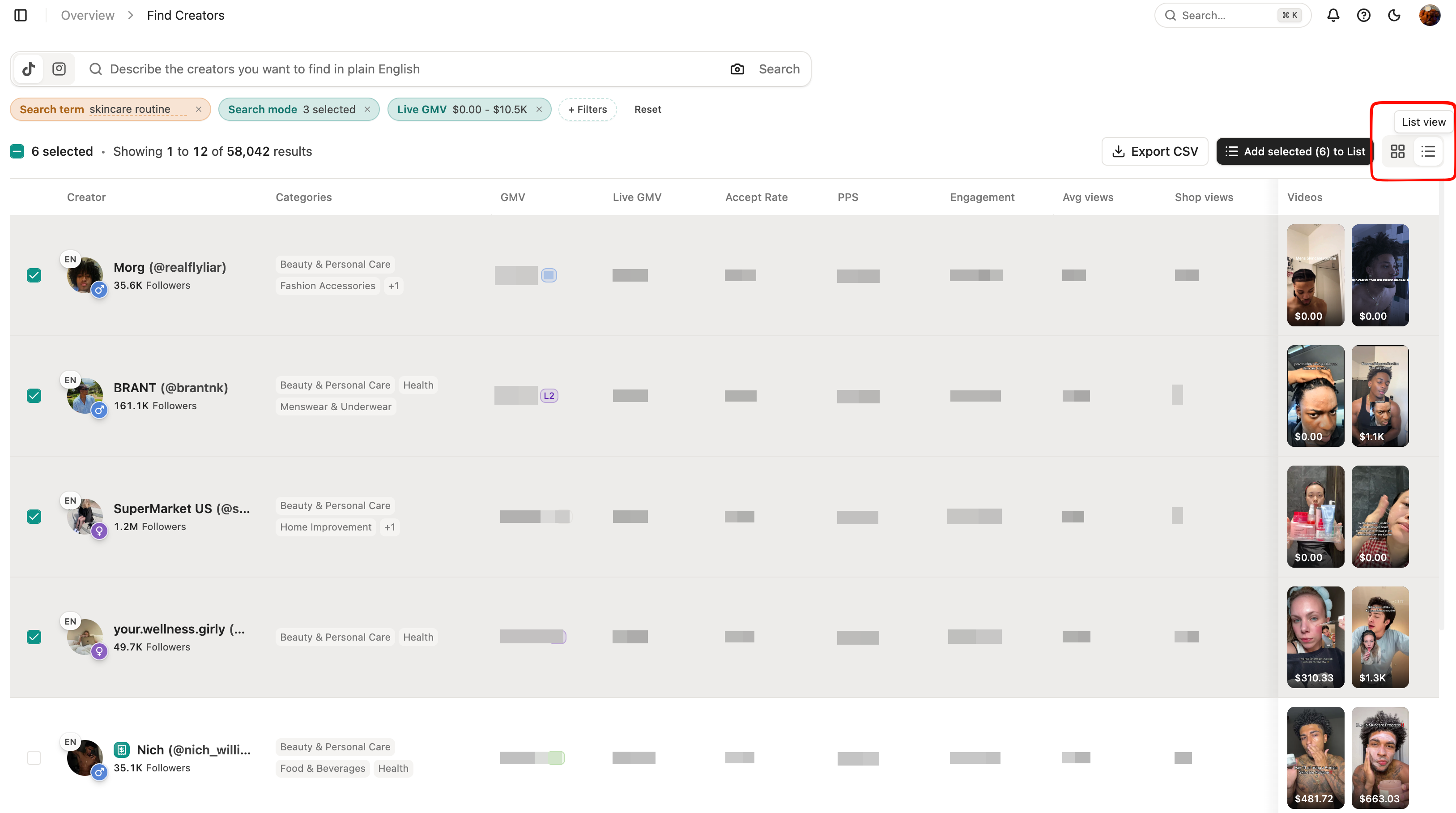
Results appear in Grid view by default. Toggle to List view using the switcher in the top right to see GMV, Live GMV, Accept Rate, PPS, Engagement, Avg Views, and Shop Views in a comparison table.
9.5 Refining Your Results
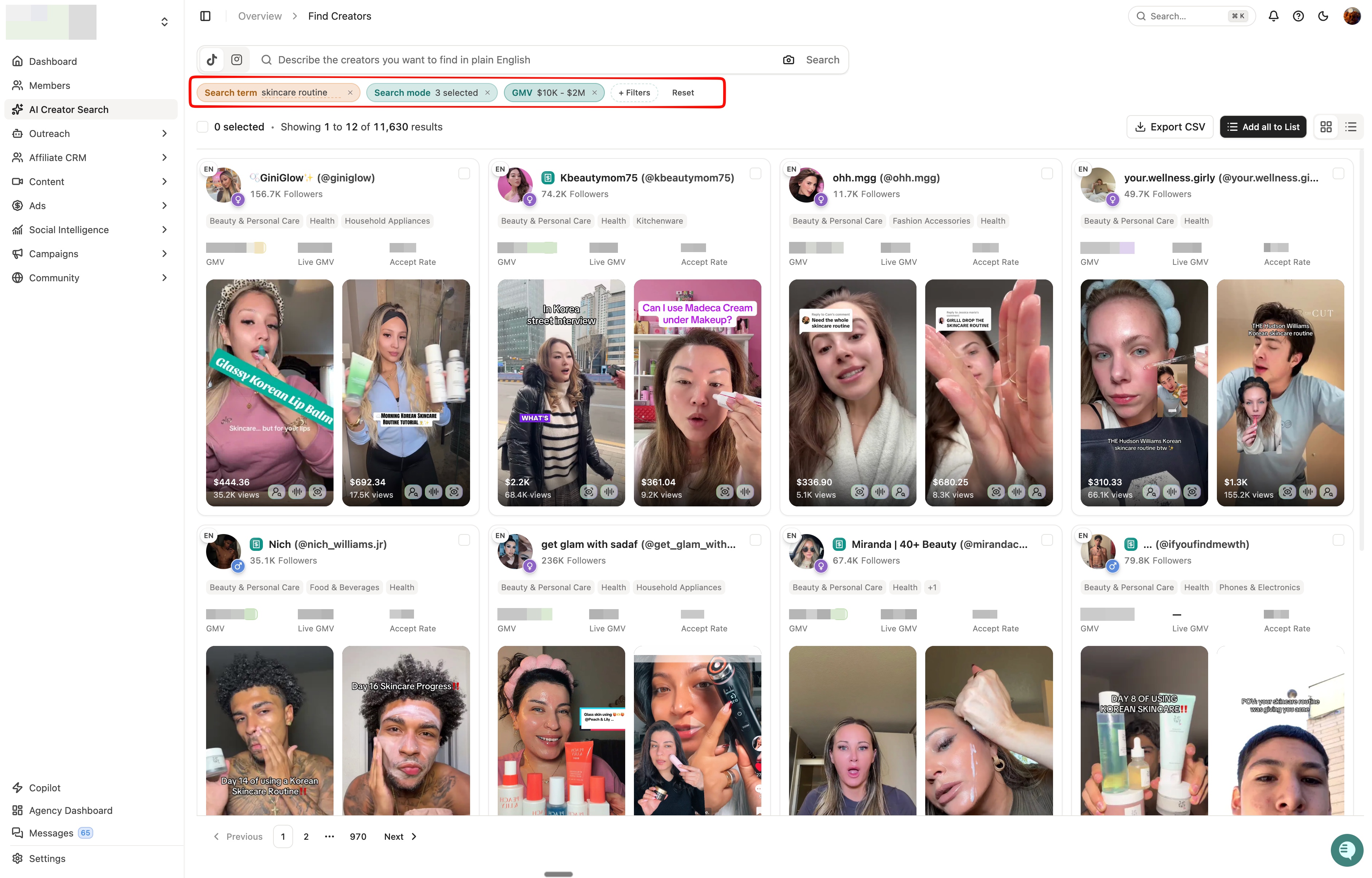
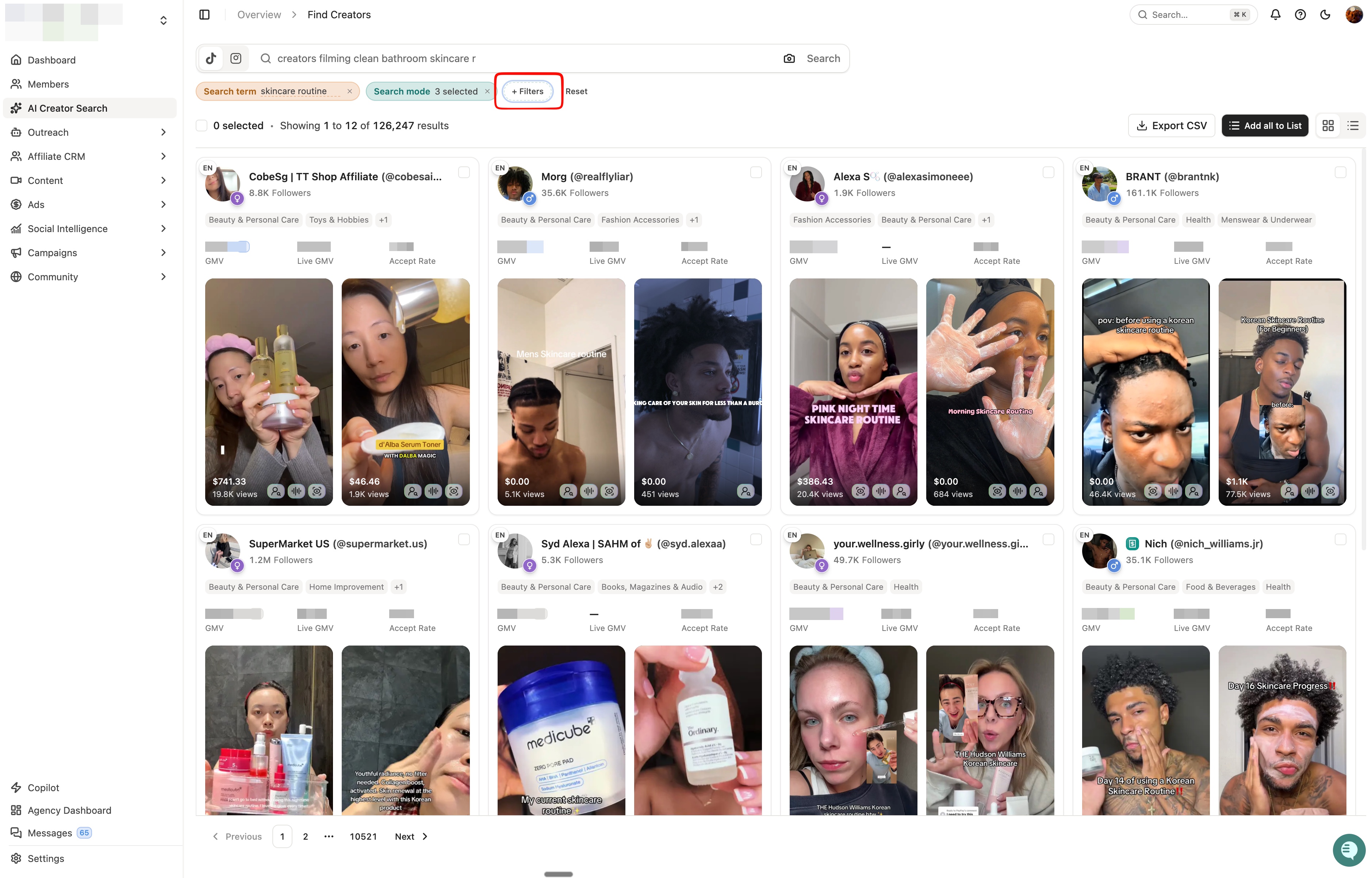
Your search becomes editable filter chips at the top of the results. Click any chip to adjust or remove it, or add new filters without starting over.
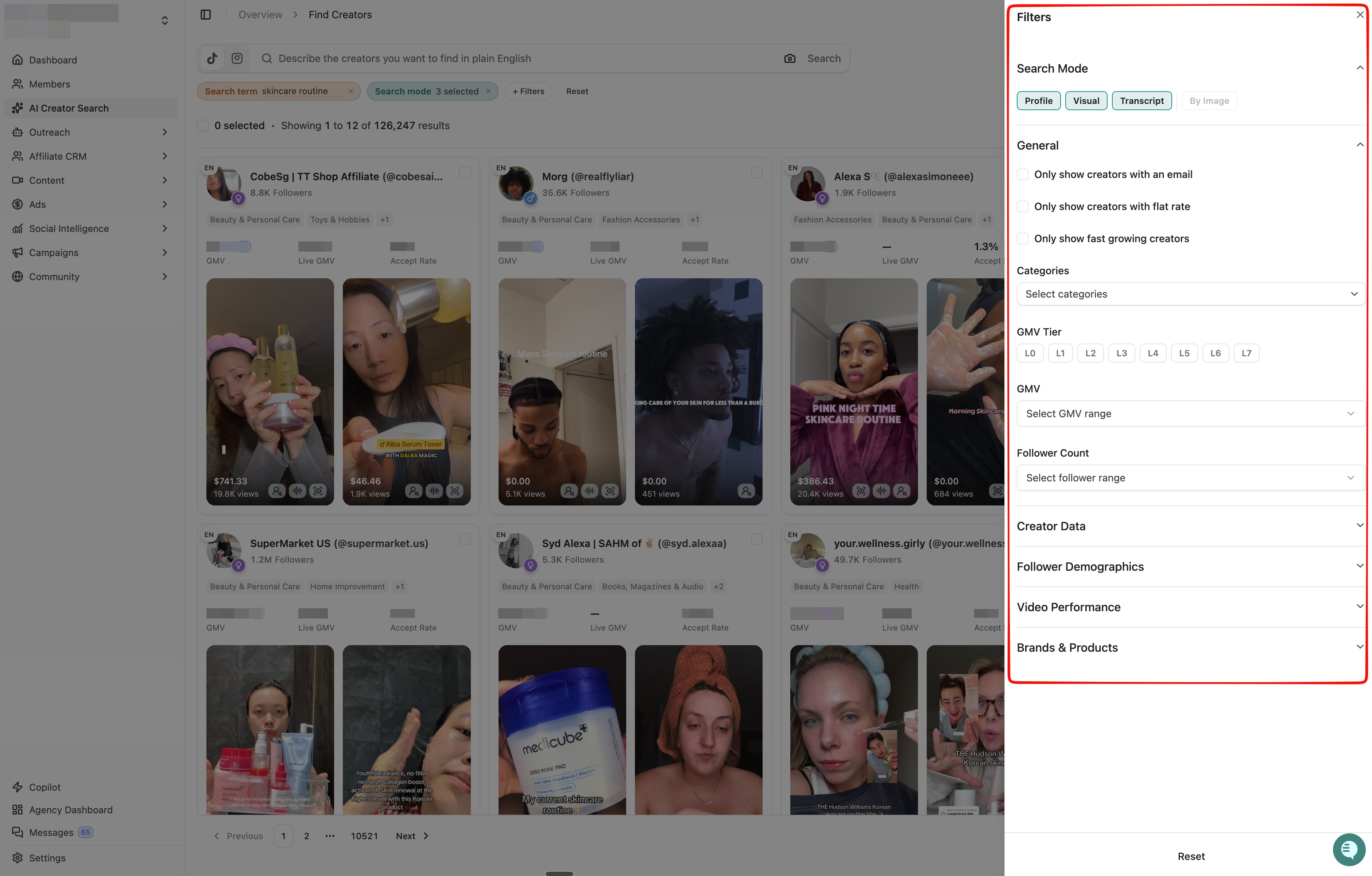
Open the Filters panel to narrow by:
Search Mode — Profile, Visual, or Transcript
General — email availability, flat rate, or fast-growing creators
Categories, GMV Tier, GMV Range, Follower Count
Creator Data, Follower Demographics, Brands & Products
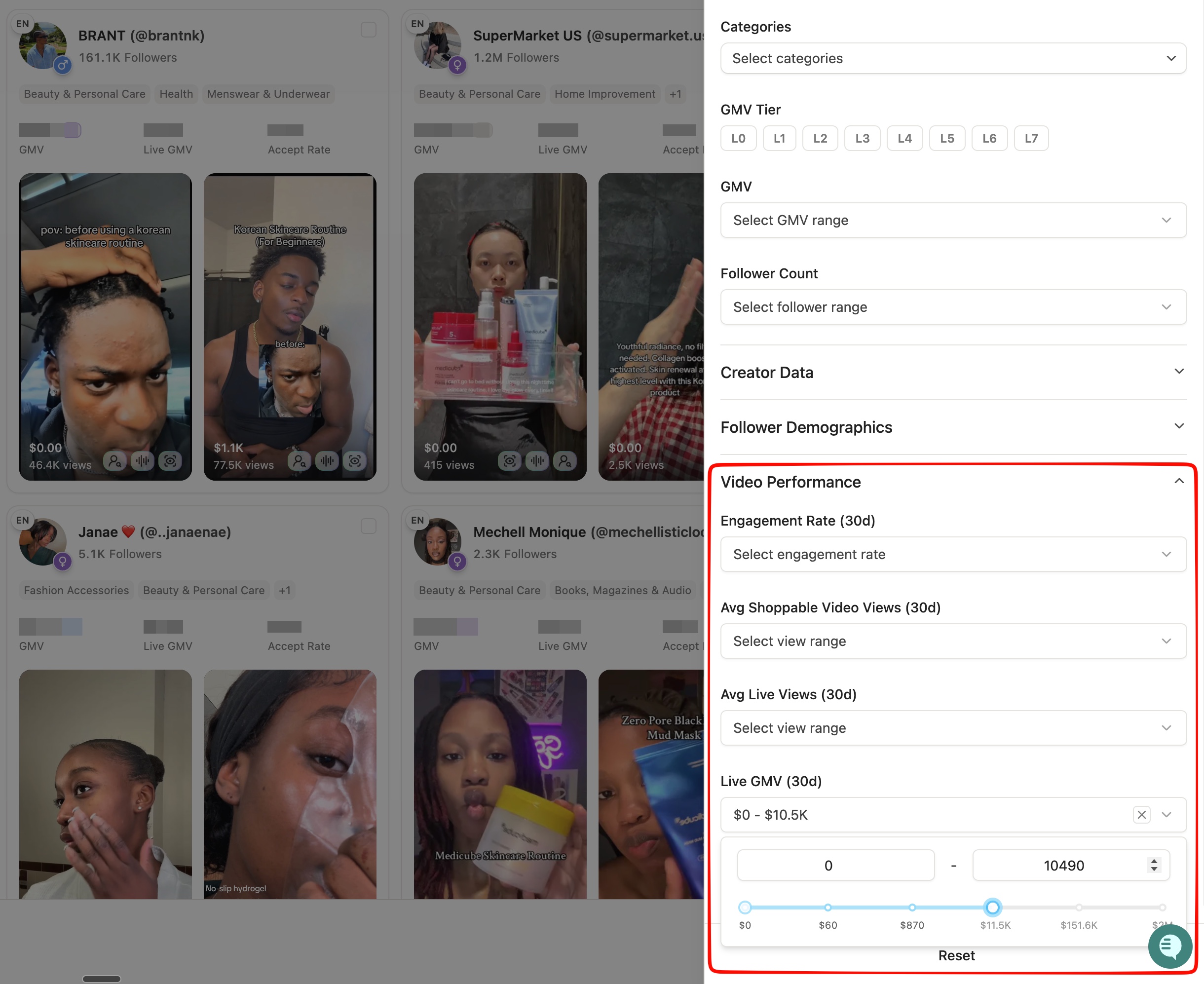
You can also filter by Video Performance — including engagement rate, average shoppable video views, average live views, and live GMV, all measured over the last 30 days. This makes it easy to surface creators who are not just a content fit, but a proven commercial one.
9.6 Reviewing Creators
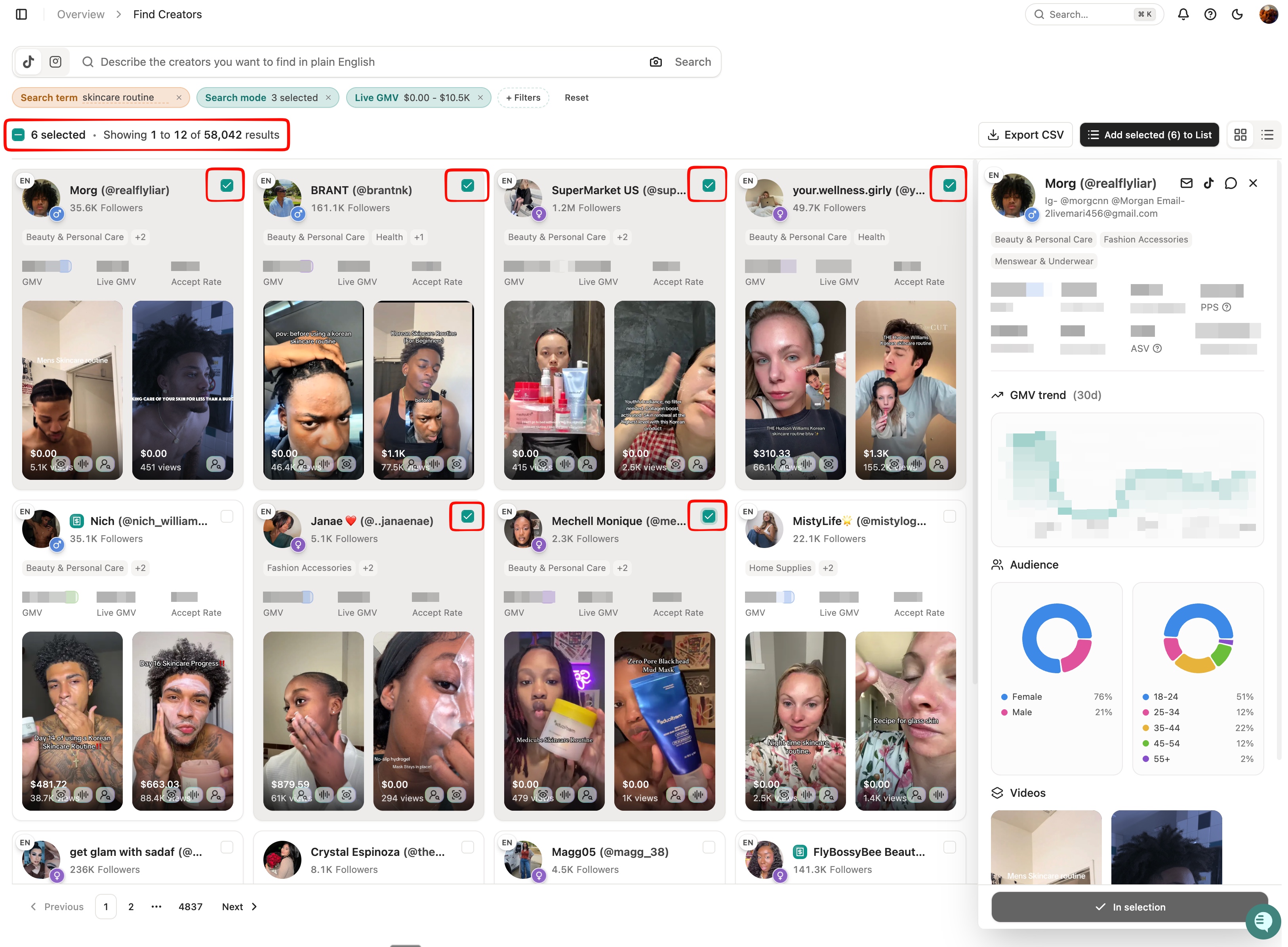
Click any creator card to open a detailed preview panel without leaving your results. The panel shows:
Contact details and linked platforms
Key performance metrics including GMV, Live GMV, Accept Rate, PPS, and ASV
Flat rate package pricing if available — so you can gauge cost before reaching out
GMV trend over the last 30 days
Audience breakdown by gender and age
9.7 Selecting and Saving Creators
To select multiple creators for bulk action, check the box on any card in the results grid. You can also add individual creators to your selection directly from the side panel while reviewing them. Your selection count updates at the top of the page as you go.
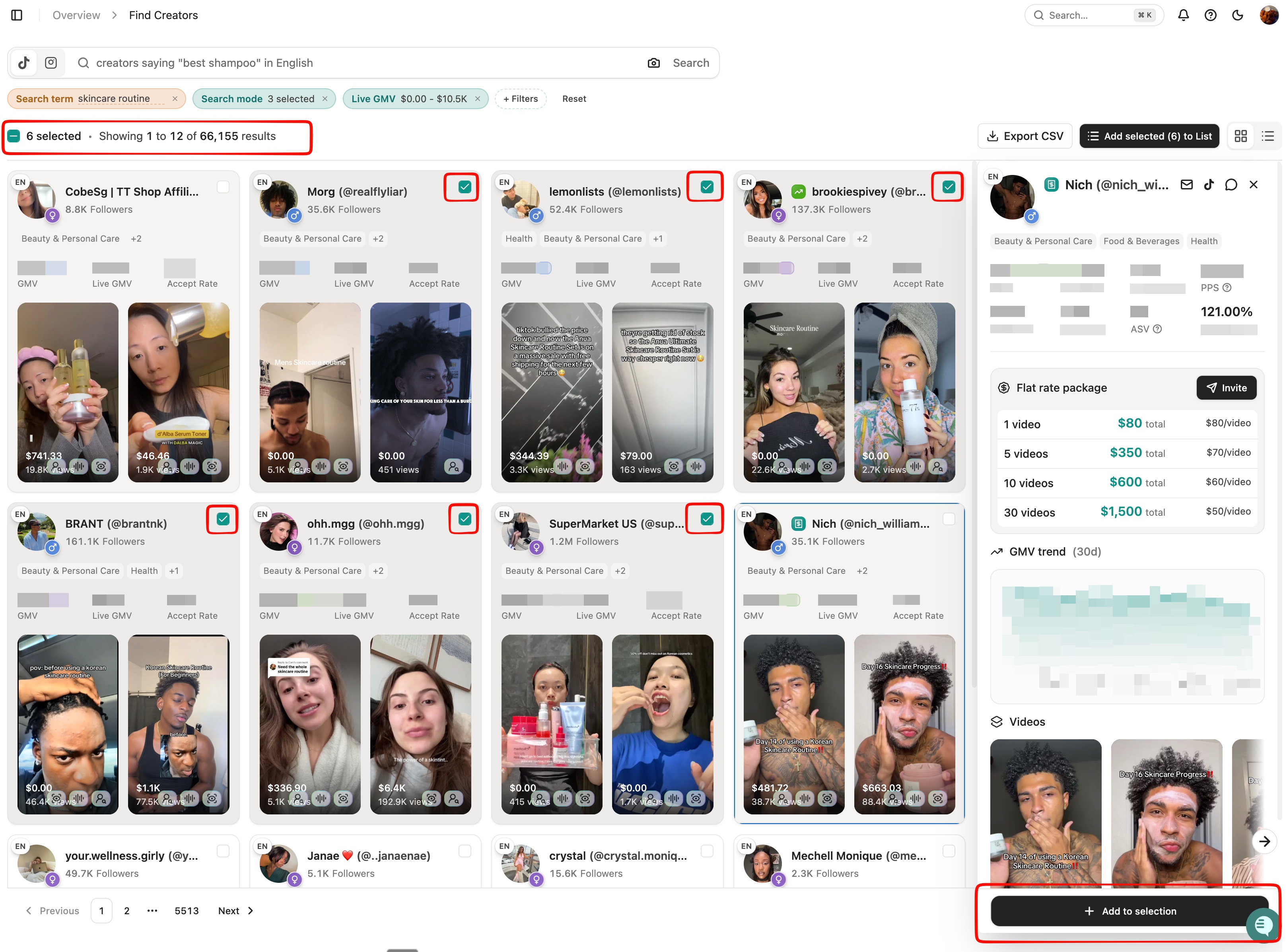
Once you've made your selection, you can:
Add to List — save creators to a new list or an existing one
Export CSV — download your selection for offline review or sharing
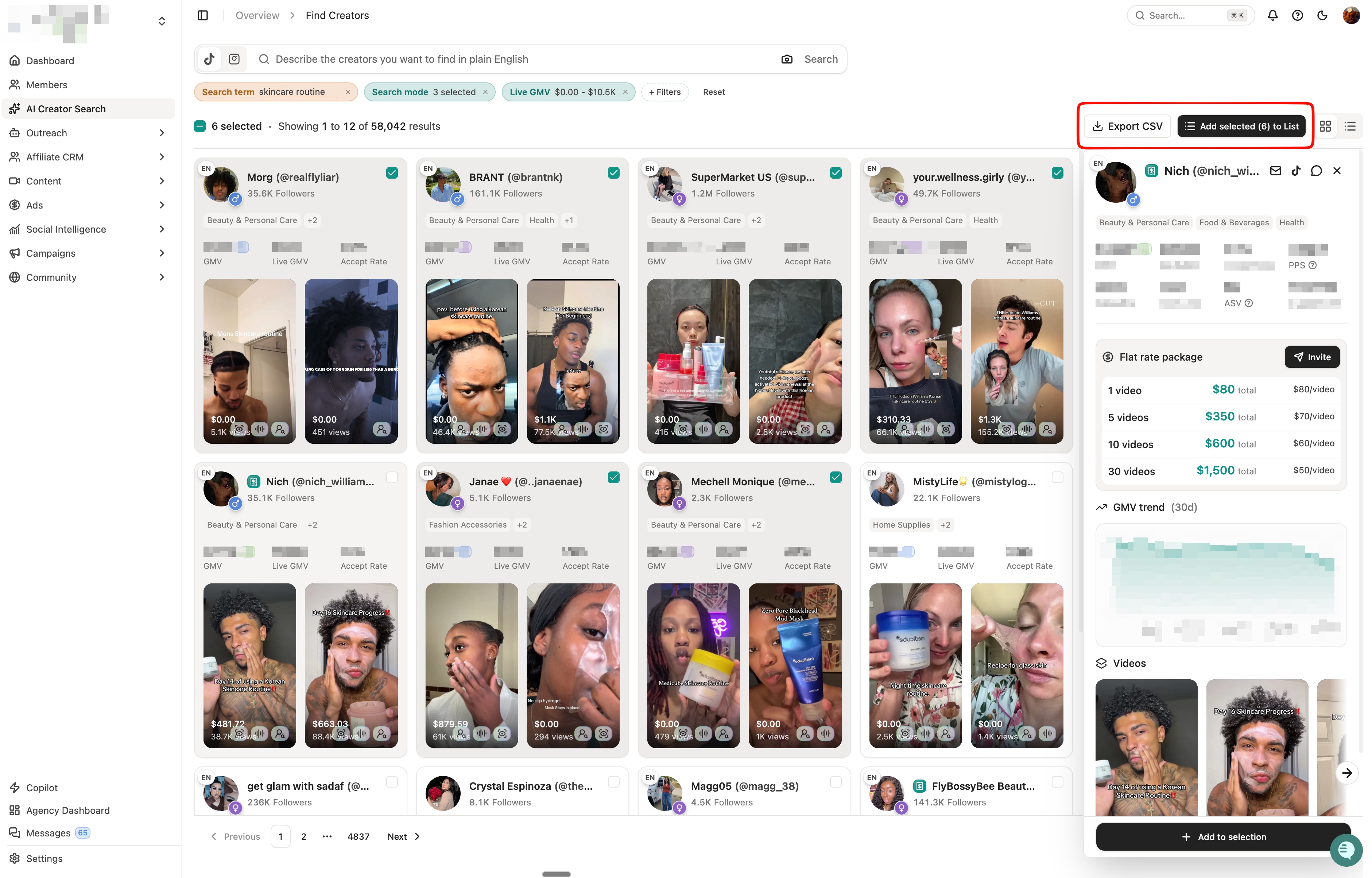
Lists let you organize creators by campaign, persona, or any grouping that works for your workflow.
Tip: Match Content Style, Not Just Audience
Upload images reflecting content format:
Hands-only product demos (jewelry, nail press-ons, small products)
Lifestyle integration (gym, cooking, skincare)
POV or routine-based content (skincare experts might be good for some supplement too!)
Ideal for mid-funnel or educational campaigns where content quality and ad-readiness matter.