How to Connect Your TikTok Shop Store with Euka
Last updated: July 5, 2026
This guide walks you through how to connect your TikTok Shop store so you can start using affiliate outreach, creator management, and automation features.
Choose your plan based on your current outreach scale:
Growth Plan: Recommended if your shop has 7,000+ weekly outreach quota
Starter Plan: Best for early-stage shops (up to 10,000 outreach/month)
Step 1: Add Euka as an Affiliate Manager
Before installing Euka, you must add an Euka email address as an Affiliate Manager in your TikTok Shop.
Log into Euka and follow the onboarding flow
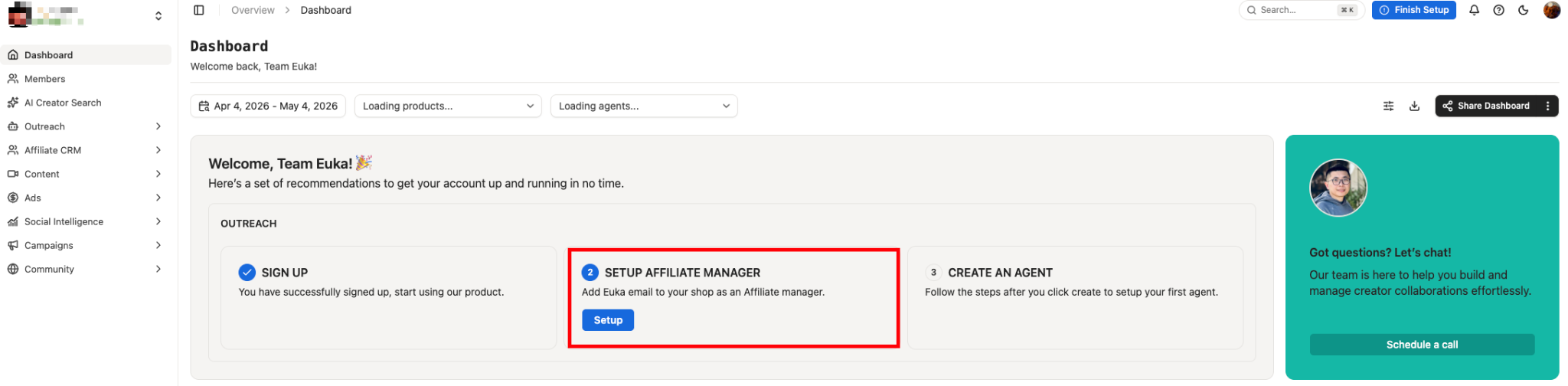
On your dashboard, click the “Setup” button in the onboarding pop-up
Add the provided email as Affiliate Manager in TikTok Shop
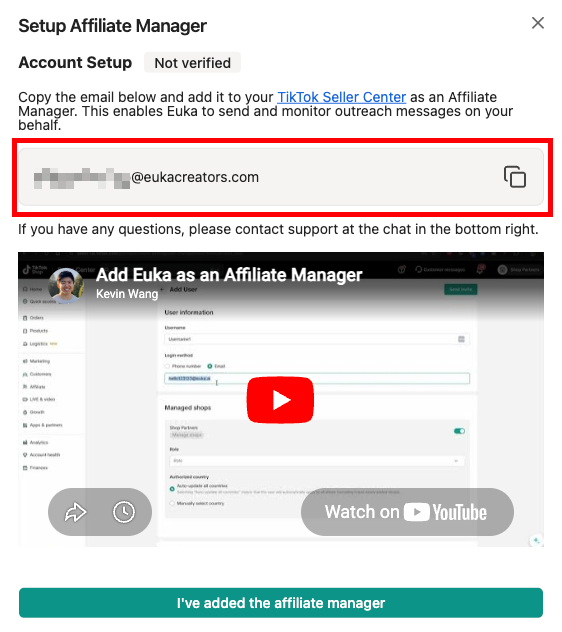
Important
You must use your Main TikTok Shop account.
You must add the email as an Affiliate Manager. Adding the email under any other role, such as Marketing Specialist, will cause the authorization to fail.
The language setting must be set to English.
How to Add an Affiliate Manager
Log in to your TikTok Shop Seller Center with the Main TikTok Shop account
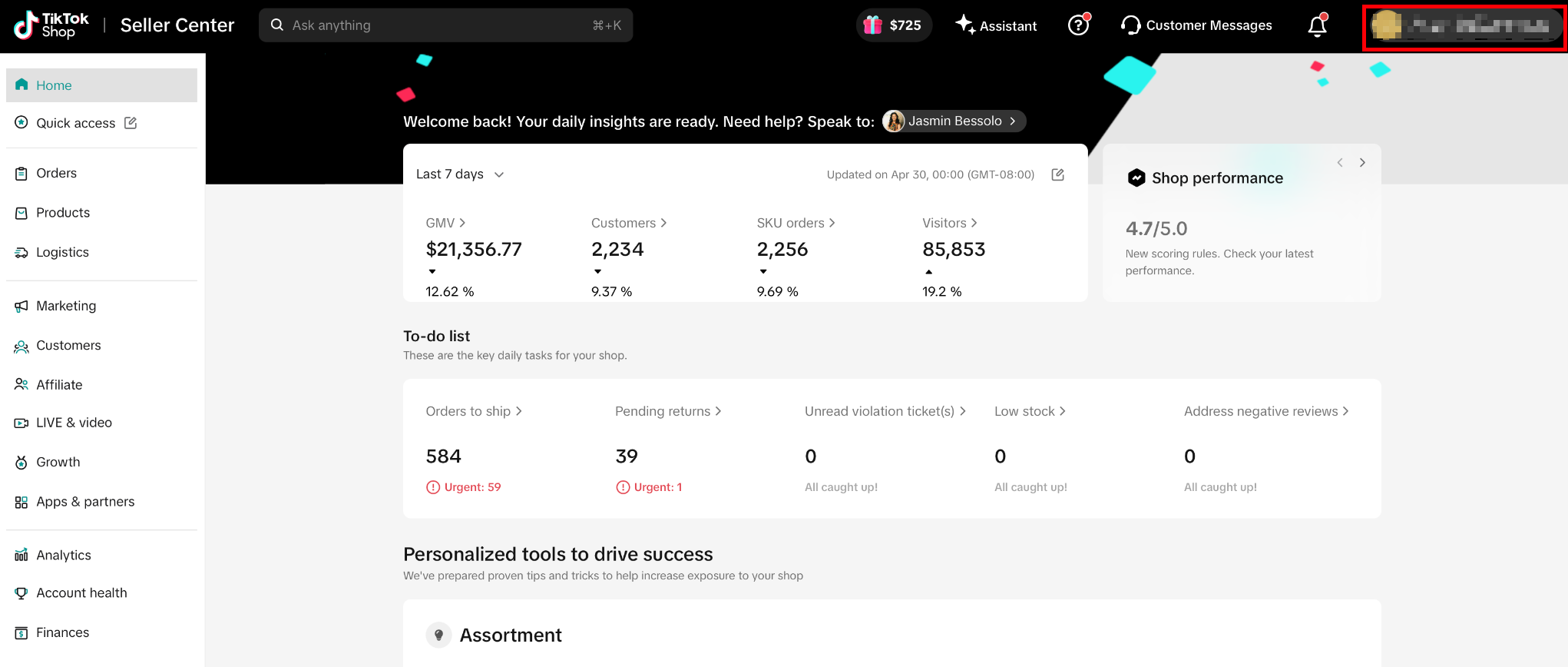

Step 2: Verify the Affiliate Manager in Euka
After adding the affiliate manager, return to Euka
Click the green button “I’ve added the email above as an Affiliate Manager”
Wait 1–2 minutes for automatic verification
Once verified, you can proceed to install the Euka app.
Step 3: Install Euka from TikTok Shop Seller Center
Go to TikTok Shop Seller Center
Click Apps & Partners from the left sidebar
Use the search bar to search for “Euka”
Select “Euka AI 🚀 Affiliate Outreach and Management”
Click Install
If Euka is already installed, you may see Renew instead
Click Confirm to proceed
Check the acknowledgment box to grant required permissions
🎉 All set! You’re ready to go.
Your TikTok Shop store is now connected to Euka, and you can start building outreach workflows, managing creators, and scaling your affiliate program with automation.
Head to your Euka Dashboard to:
Set up outreach agents
Build creator segments
Launch campaigns and contests
Track GMV and creator performance
For more details, you can refer to this guide: