Why my TikTok shop is not connected yet
Last updated: July 5, 2026
How Euka connects to your store?
After you add the Affiliate Manager account we provided, we use that account to access your store, create conversations and target collaborations, retrieve your store GMV, and perform other required actions.
Therefore, if the Affiliate Manager account is not added to your store, your dashboard may appear empty, and you may not be able to send outreach agents or use related features properly.
Here is the article that guides you through adding an Affiliate Manager to your TikTok Shop:
https://support.euka.ai/articles/4052320133-how-to-connect-your-tiktok-shop-store-with-euka?lang=en
After adding the affiliate account, my store is still not connected.
This is usually because the Affiliate Manager settings are incorrect. Please check the following:
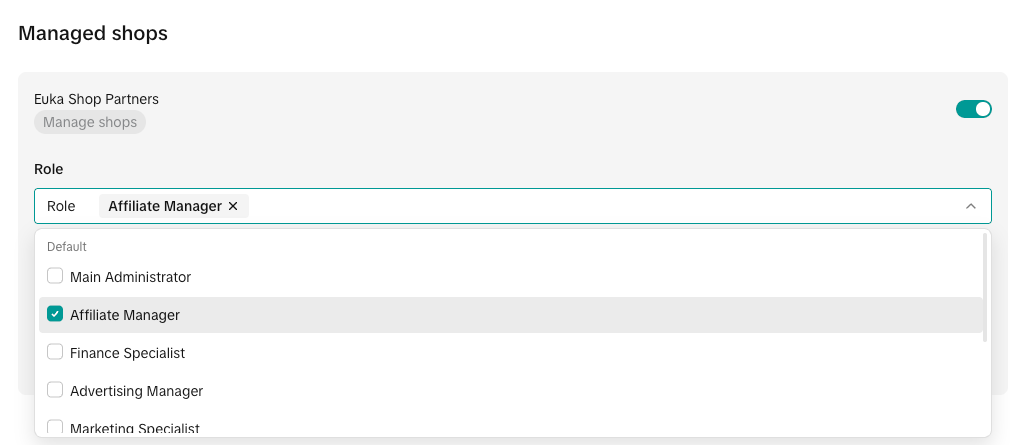
Role is not correct
The role must be set to Affiliate Manager.
In different languages, this role may appear as:
Spanish: Gerente de Afiliados
Chinese: 联盟经理 / Affiliate 经理
French: Responsable des Affiliés
We’ve seen many customers accidentally add the account as a Marketing Specialist instead of an Affiliate Manager, which will cause the authorization to fail.
Language is not English
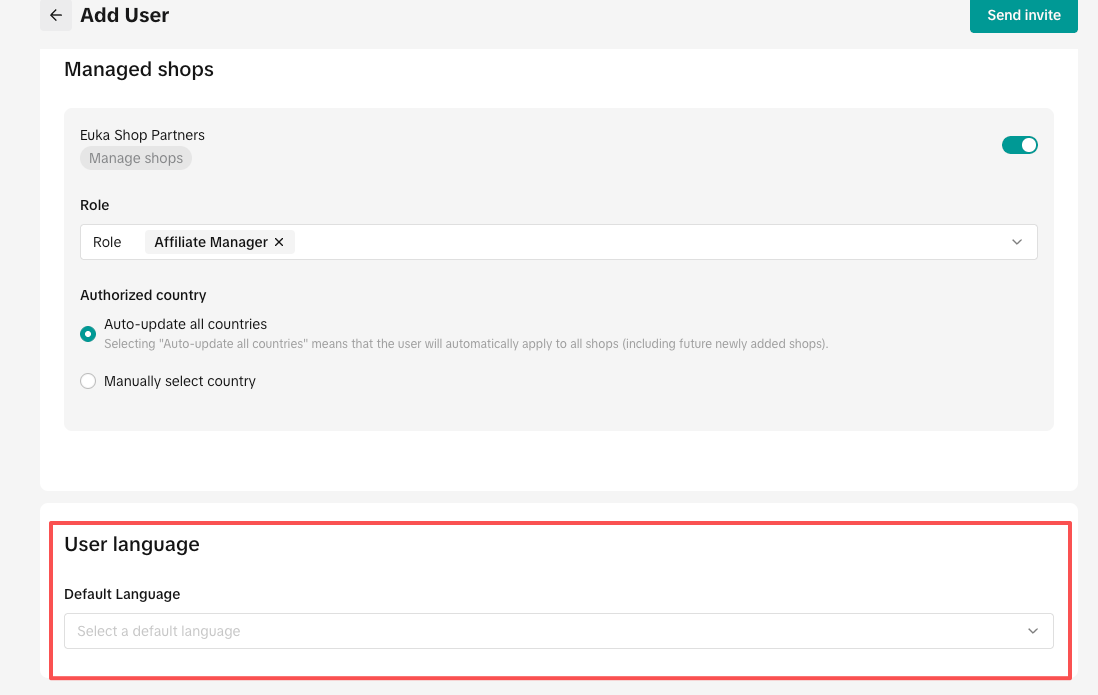
When adding an Affiliate Manager, TikTok will ask you to select a default language.
Please make sure it is set to English; otherwise, our system may not recognize the account.
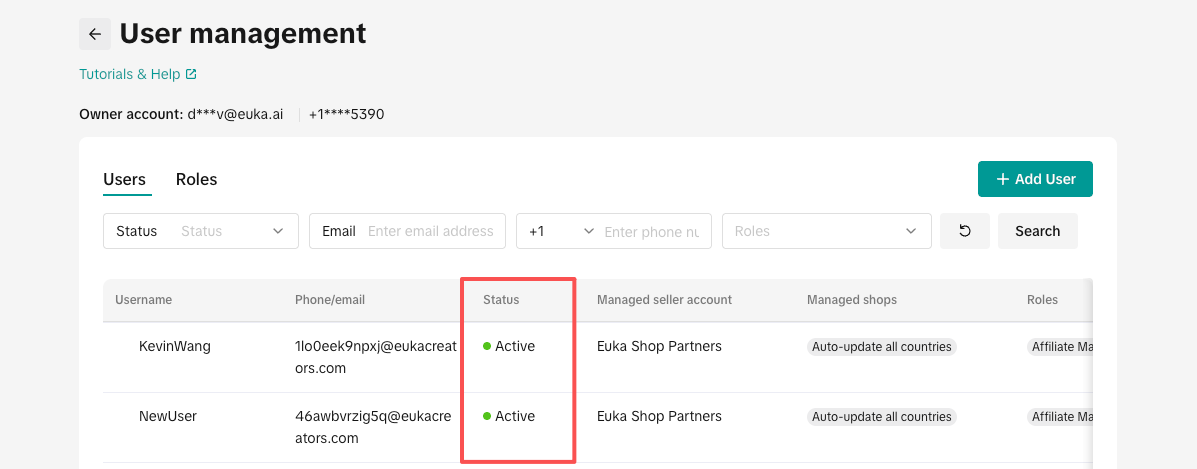
Affiliate Manager account status is not set to active
Some users may accidentally deactivate the Affiliate Manager account and forget about it.
This will disconnect your shop from TikTok Shop, so please double-check the account status.
I’ve checked the settings above and everything looks correct, but my shop is still not connected.
We sync your store data every few hours. After you make any changes on the TikTok side, such as reactivating the Affiliate Manager account, adding a new account, or changing an account’s role, it may take some time for the updates to sync into our database.
Please wait patiently for a while.
If your store is still not connected after more than 2 hours, please take a screenshot of the Affiliate Manager account in your TikTok Shop, like the example below:
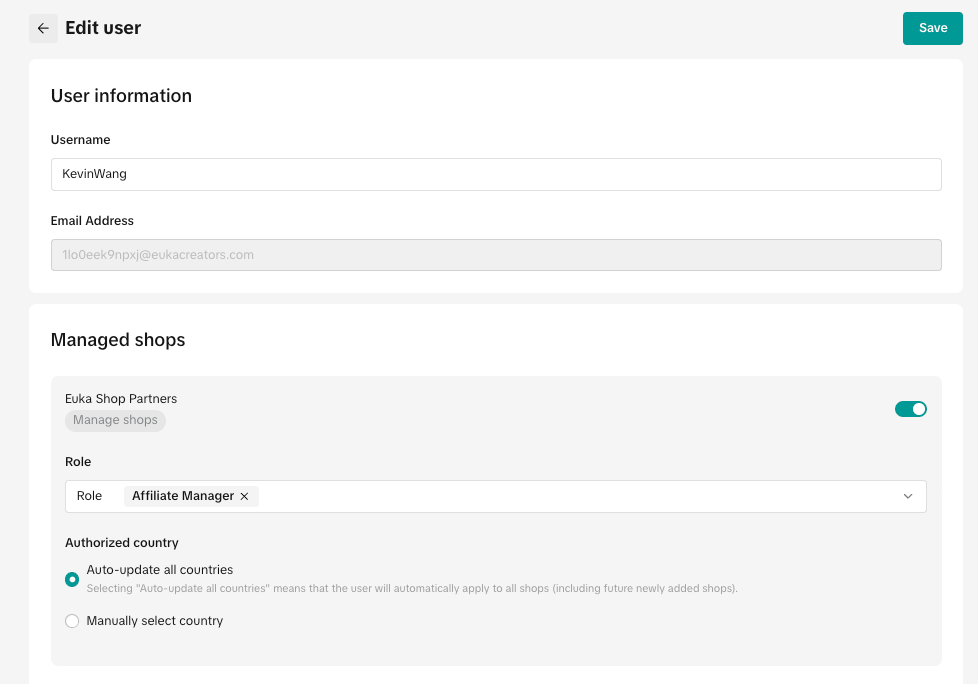
and reach out to our Customer Support team through the chat box and ask something like, “Why is my TikTok Shop not connected?” Remember to paste the screenshot and provide your store's name.
Our Customer Success team will check your shop as soon as possible.