5. Spark Codes
Last updated: April 30, 2026
5.1 What is a Spark Code?
A Spark Code is a TikTok authorization code that lets you run a creator’s organic video as a paid ad in TikTok Ads and GMV Max.
When a creator provides a Spark Code, they are granting:
Permission to boost their video with ad spend
Permission for TikTok Ads and GMV Max to use the video
Spark Codes are essential if you want to scale proven content into ads while maintaining full rights.
5.2 Spark Codes Dashboard
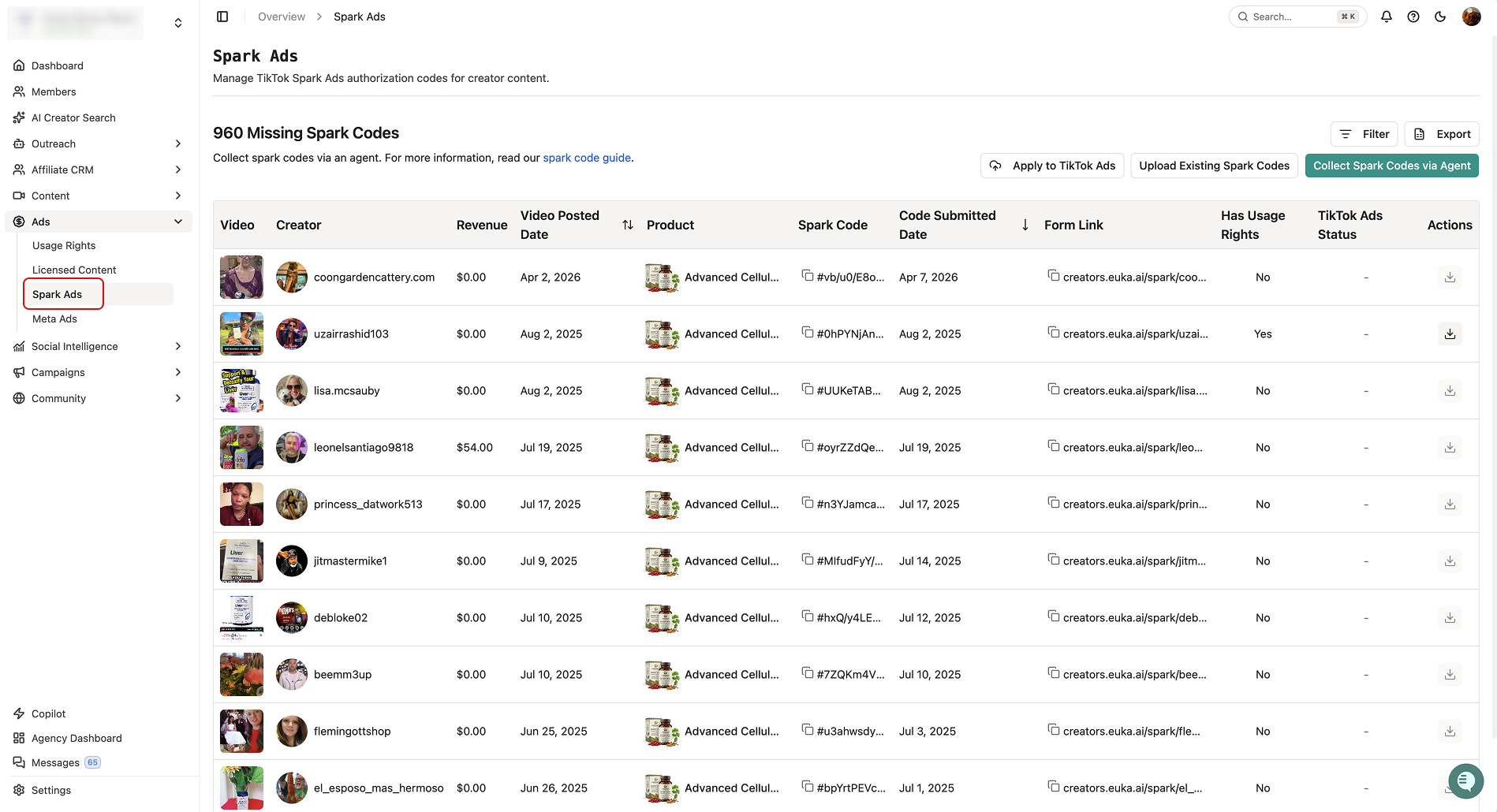
In Euka, each row represents a creator's video. You can see:
Video preview
Creator
Product
Posted date
GMV
Spark Code
Spark Code submitted date
Usage rights
Personalized Spark Code form link
At the top of the dashboard:
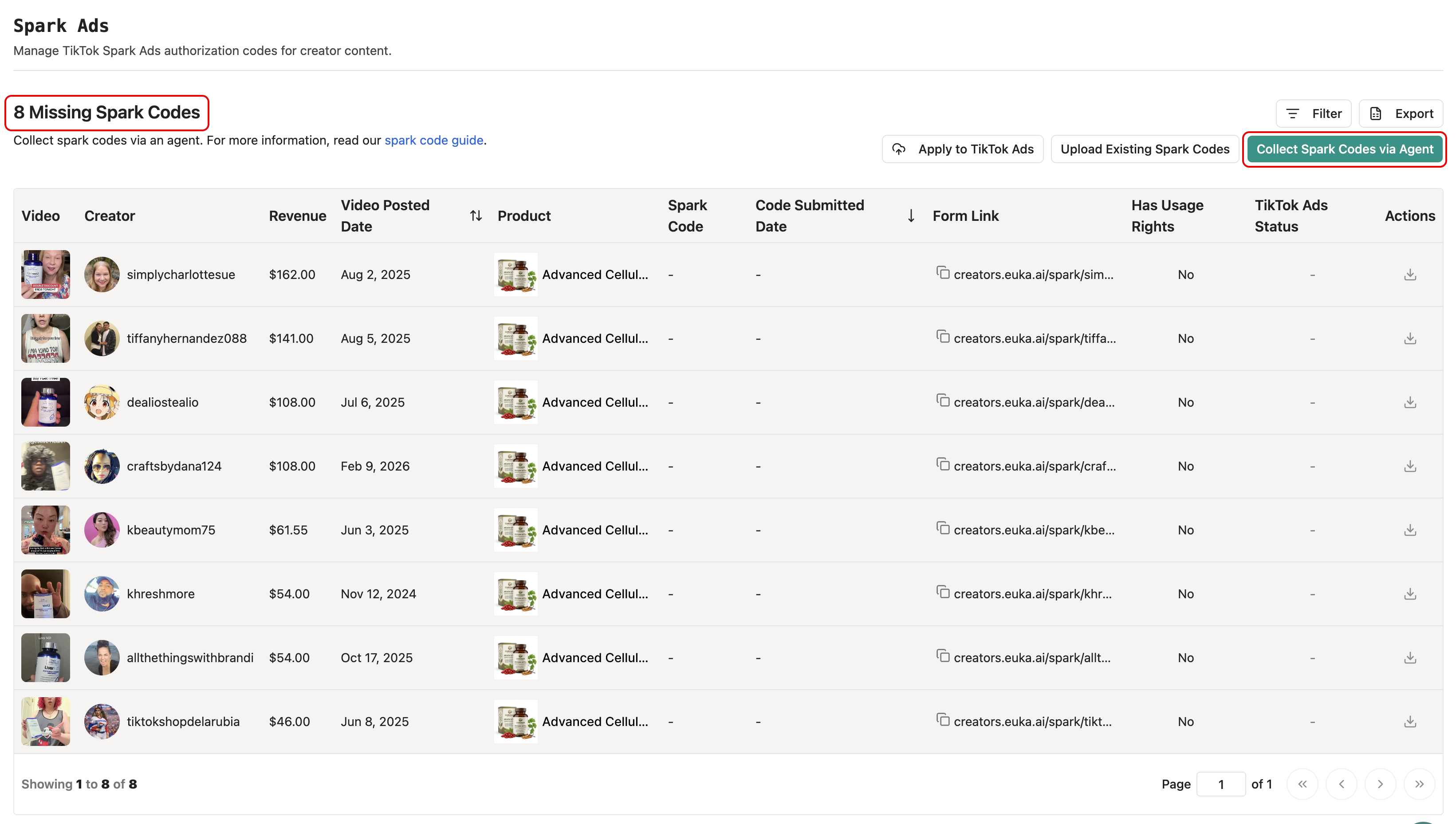
Missing Spark Codes – shows how many posted videos are not yet authorized for ads
5.3 How Spark Codes Are Collected
Euka supports multiple ways to collect Spark Codes, helping you scale without manually chasing creators:
Automatic Scanning
Euka automatically scans creator messages for Spark Codes and adds them to the table if found.
Apply Filters to Collect Targeted Content & Avoid Duplication
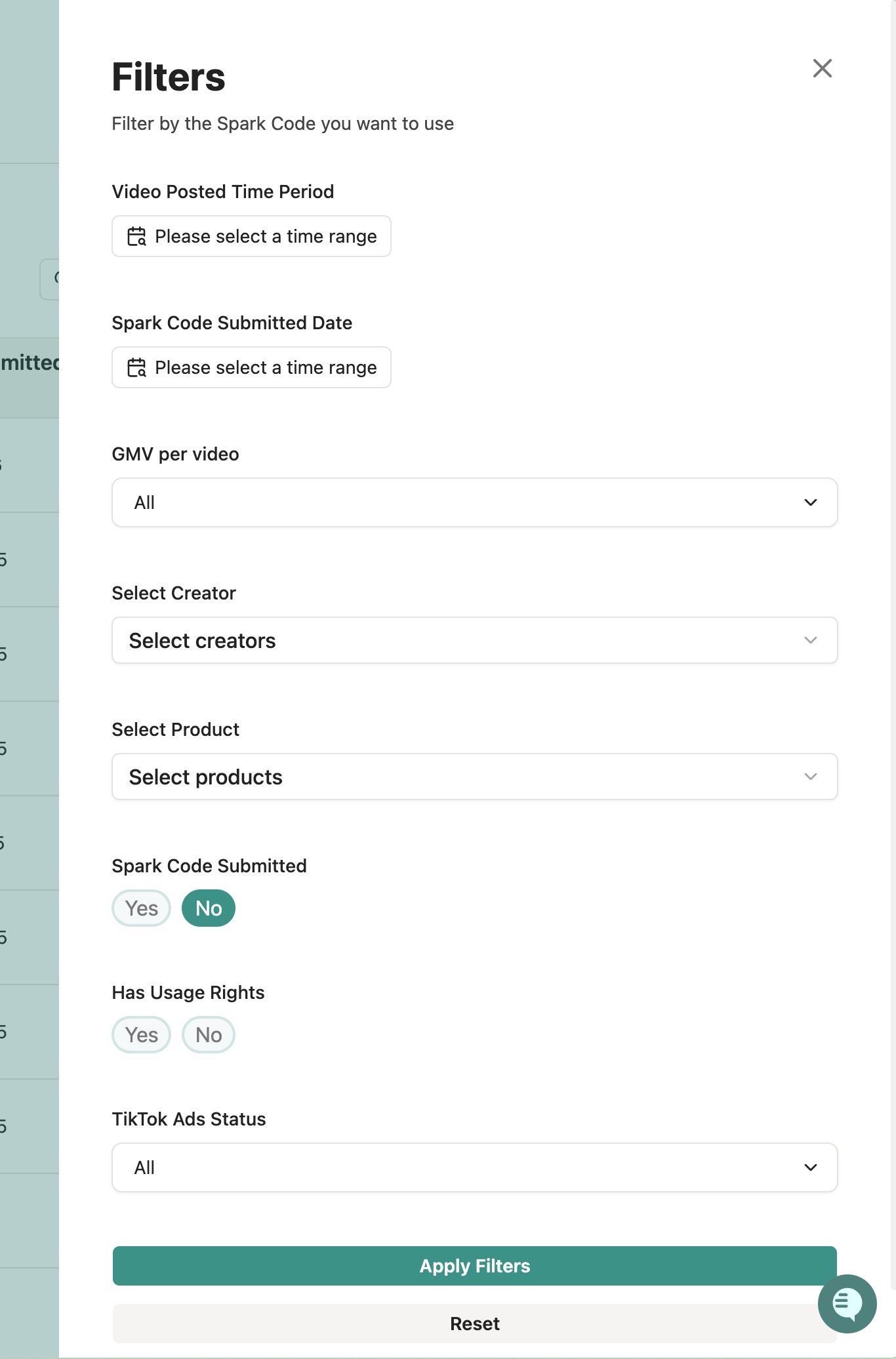
Video Posted Time – find recent content or isolate new tests
Spark Code Submitted Date – track how quickly creators respond
GMV per Video – focus on videos that already drive revenue
Creator – target specific creators or agencies
Product – identify which SKUs have ad-ready videos
Spark Code Submitted – Yes = ready for ads; No = needs authorization
Has Usage Rights – filter content you can reuse outside
Tip: Always prioritize videos with high GMV and submitted Spark Codes to maximize ROI
Message Creators Directly via Segment
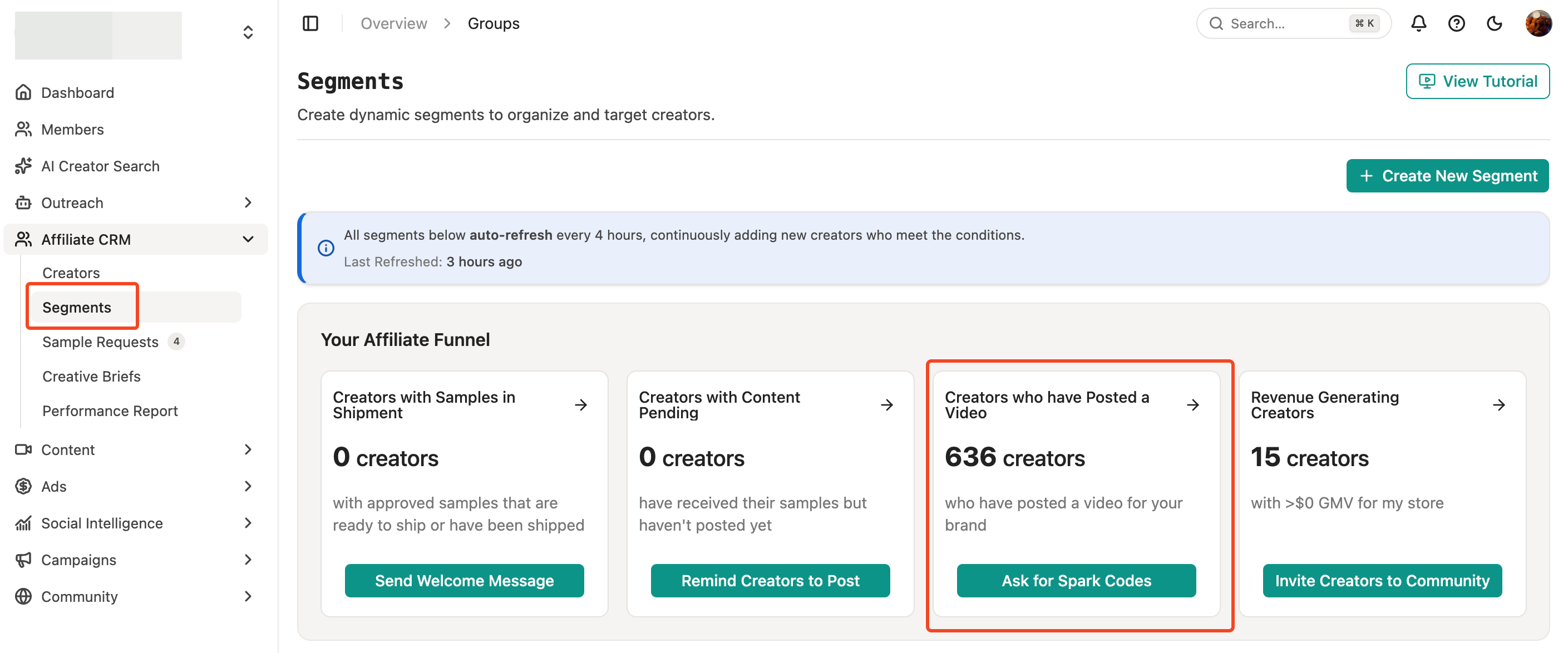
Target creators who have already posted videos using a Segment.
Send them a personalized Spark Code form.
Creators see their video, paste the Spark Code, set expiration, and optionally grant usage rights.
Codes are automatically attached to the correct video in Euka.
Upload via CSV (Optional for internal collection)
If you’ve collected Spark Codes outside Euka, you can bulk upload them to keep everything in one place.
Requirements:
One column for the codes
One code per row
Codes must start with
#, end with=, and include letters/numbers
5.4 Export Spark Codes & Add to GMV Max
Export Ad Codes in Bulk
Go to Affiliate CRM → Spark Codes → Export
Add Content to GMV Max
Open your GMV Max campaign
Click Edit Campaign → scroll to Ad Creatives
Access your Creative Library and import the exported Spark Codes (30 codes at once)